Using Enterprise Overview › Enterprise Overview Page
Enterprise Overview Page
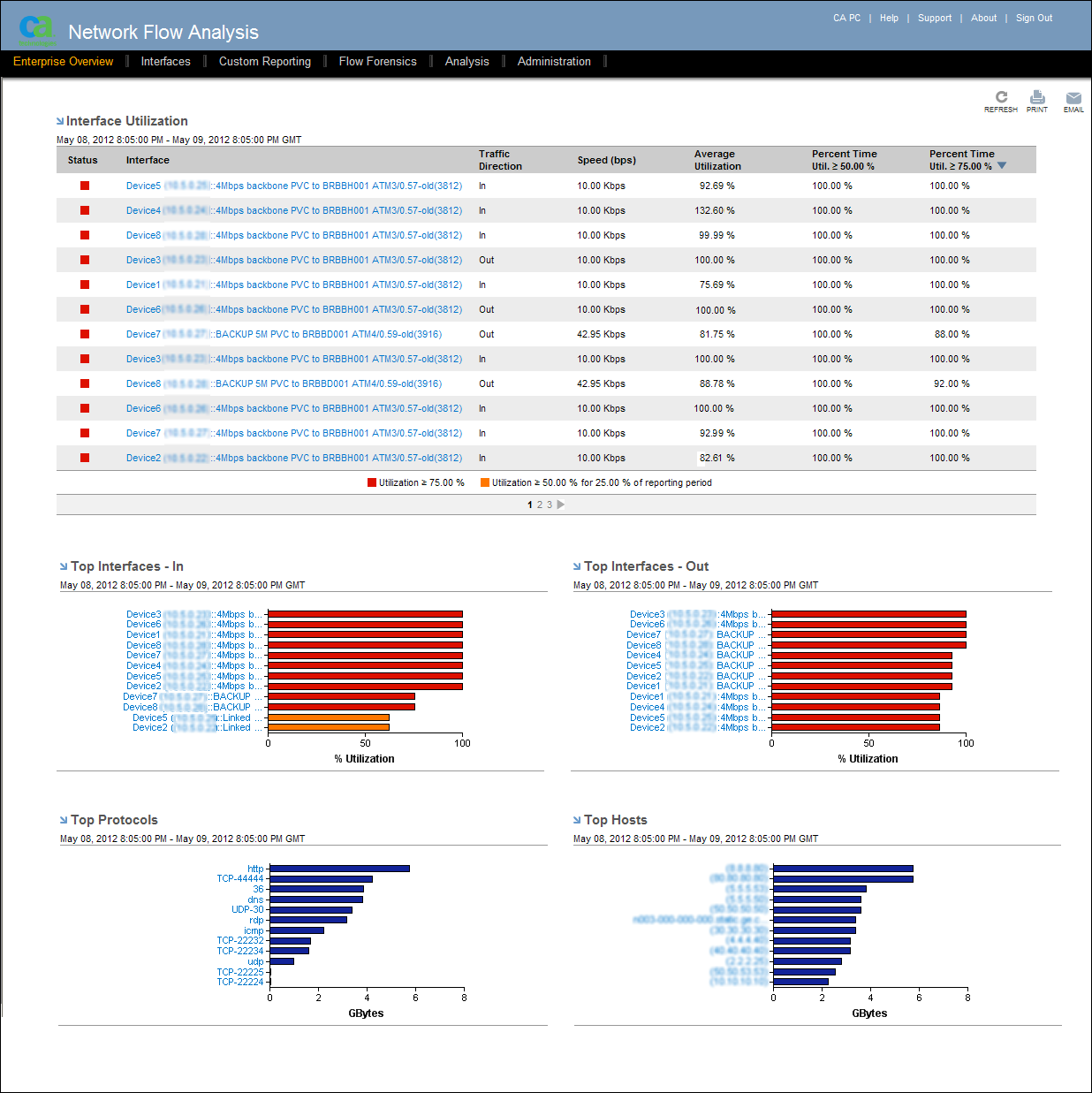
The Enterprise Overview page shows a set of standardized views of real-time network performance data To display the Enterprise Overview page, click Enterprise Overview in the NFA console menu.
Depending on your access settings, the Enterprise Overview page may contain data for some or all of the following views:
- Interface Utilization: A table of data about the interfaces with the highest utilization levels
- Top Interfaces - In: Utilization and volume information for the interfaces that have high volumes of inbound traffic
- Top Interfaces - Out: Utilization and volume information for the interfaces that have high volumes of outbound traffic
- Top Protocols: Total volume of traffic associated with the most heavily used protocols
- Top Hosts: Traffic volumes of the most active hosts (inbound, outbound, and total traffic)
The Enterprise Overview displays data for the most recent 24‑hour period that is available. The reporting timeframe is noted under the title of each view.

Available Actions for the Enterprise Overview Page
You can perform the following actions on the Enterprise Overview page, provided that you have the required access:
- Display data about each interface, protocol, or host in bar graphs by opening
 Tooltips.
You can display detailed information for some items in report views by positioning your cursor over the item. For example, place your cursor over a bar that represents an interface to open a Tooltip. The Tooltip shows additional details about the interface, such as its parent router, description, and number of bytes.
- Open additional reports about each interface, protocol, or host by clicking the bars or the blue drilldown links.
- In the Interface Utilization view, customize the status thresholds.
- Export the data for each view to a .CSV file.
- Update the data by using the Refresh icon.
- Print the Enterprise Overview page to a PDF file (Administrator or Power User accounts only).
- Email PDF files of the current views or schedule PDFs to be sent out to one or more recipients on a schedule (Administrator or Power User accounts only).