

|
|
|
CA NetMaster NM for TCP/IP collects and records the following information:
Various commands display different types of performance.
The following procedure shows you how to view the results of stack IP performance monitoring.
Follow these steps:
The Stack IP, TCP and UDP History panel appears that displays the results of the stack IP performance monitoring.
A detailed display of the values appears. The display shows the values for up to the last 12 samples.
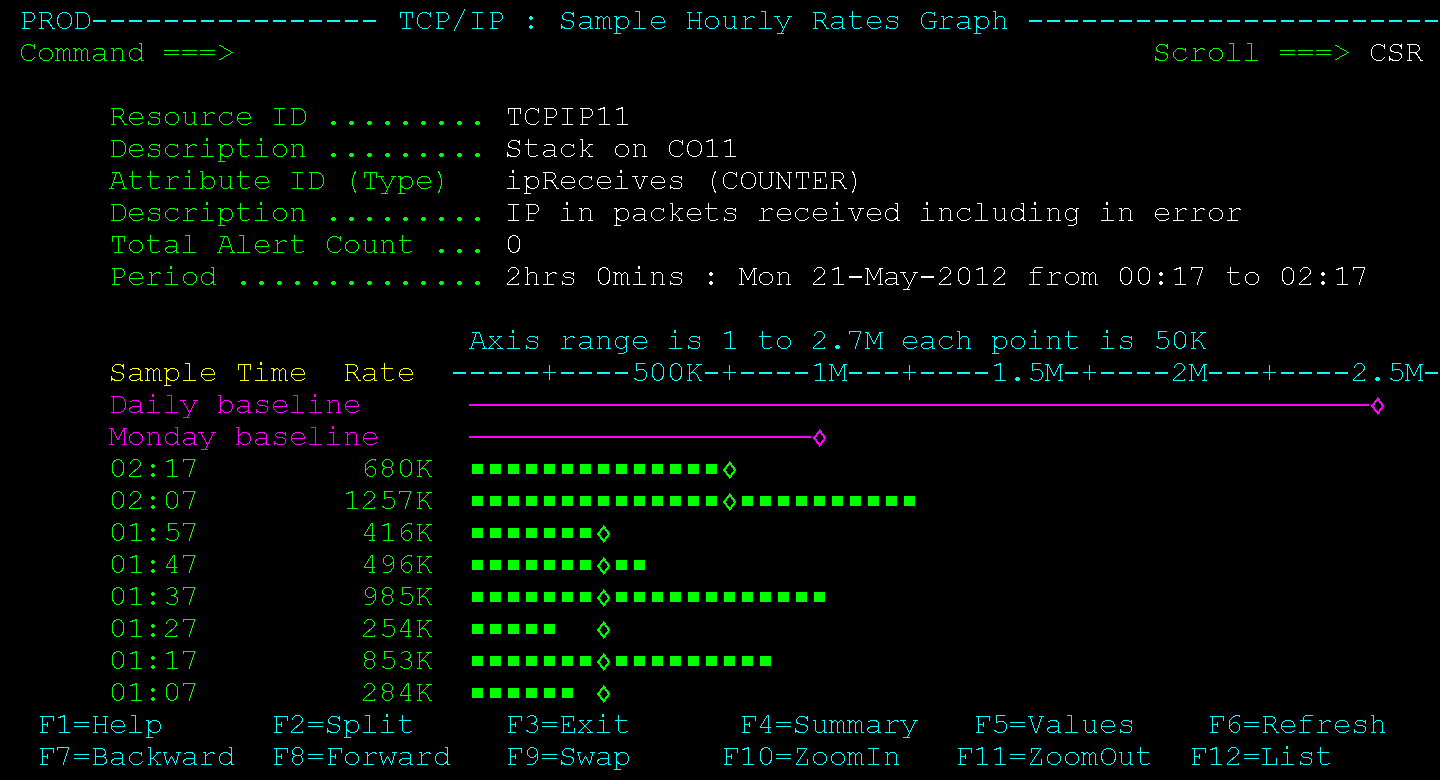
Note: To display a summary of performance history over the last day, enter S next to the attribute on the Stack IP, TCP and UDP History panel. You can also press F4 (Summary) on the Sample Hourly Rates Graph panel. Summary data is available only after an hourly summary occurs, which requires a sample for that particular attribute at the beginning of the hour.
You return to the performance display.
You return to the Primary Menu.
| Copyright © 2012 CA. All rights reserved. |
|