Completing Migration › Region Links to a Multisystem Network › A Multisystem Network Migration Example
A Multisystem Network Migration Example
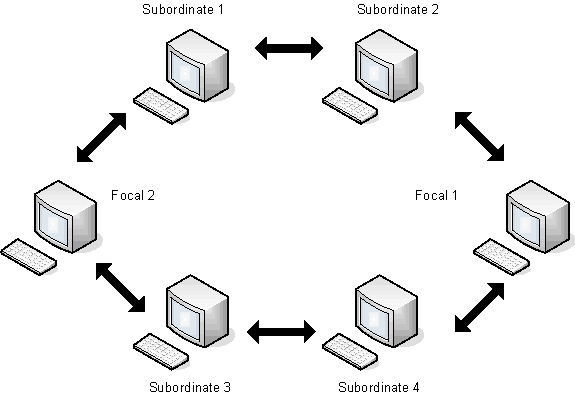
The following diagram shows a multisystem network with two focal regions and four subordinate regions:
To migrate a multisystem network
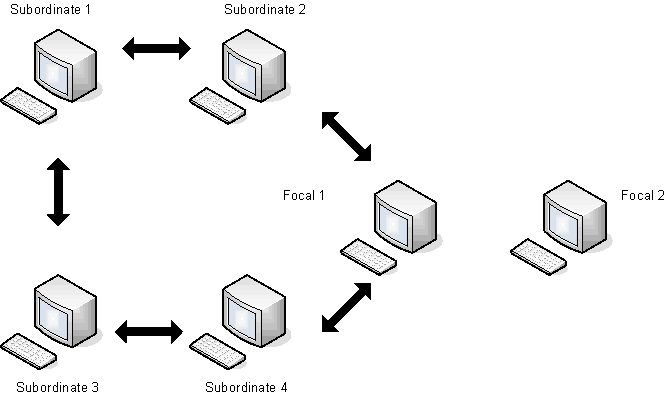
- Unlink Focal 2 from the existing multisystem network, as shown in the following diagram:
- Upgrade Focal 2 to Release 12.1.
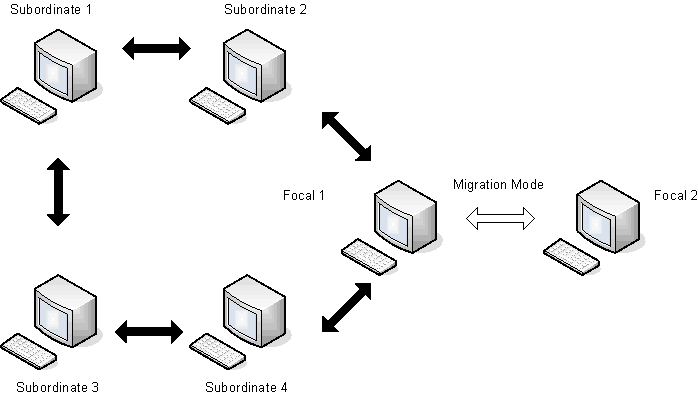
- Link Focal 2 to Focal 1 in migration mode, as shown in the following diagram:
- Unlink Subordinate 1 from the multisystem network and upgrade it to Release 12.1.
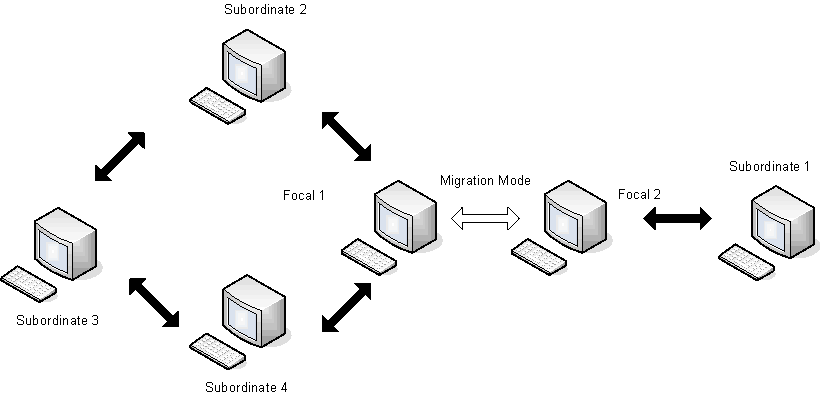
- Link and synchronize Subordinate 1 to Focal 2, as shown in the following diagram:
- Repeat Steps 4 and 5 for Subordinates 2-4 and Focal 1.
|
Copyright © 2012 CA.
All rights reserved.
|
|

