

|
|
|
This section describes how to collect data for the the following resource types:
Address spaces are shown in this example; but the process is the same for all types.
To access the resource monitoring definition
The IP Resource Monitor appears.
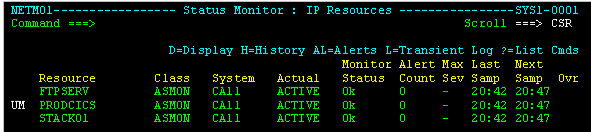
The Monitoring Definition panel appears. The following example uses ASMON.
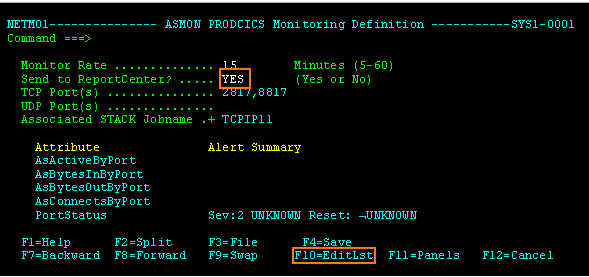
To update the resource monitoring definition
The Monitoring Definition attribute list panel appears
The Monitoring Definition panel lists the attributes that are monitored. Initially, only the attributes that are monitored by default are listed. You can add more attributes to the list.
Note: When you get to know what attributes are useful to you, and their typical values, you can return to this panel and enter U (Update) next to an attribute. You can set up alerts based on that attribute.
To add monitored attributes
The Selectable Attributes List panel appears. The list shows all possible attributes this monitoring type monitors.
The CIP Monitoring definition panel displays the following types of monitoring:
Use for Cisco channel card data.
Use for Telnet workload data.
| Copyright © 2012 CA. All rights reserved. |
|