

|
|
|
The SNMP tree has two viewing modes. Whichever mode you choose is retained in your user profile and used the next time you use the MIBinsight browser.
The modes for viewing the SNMP tree are as follows:
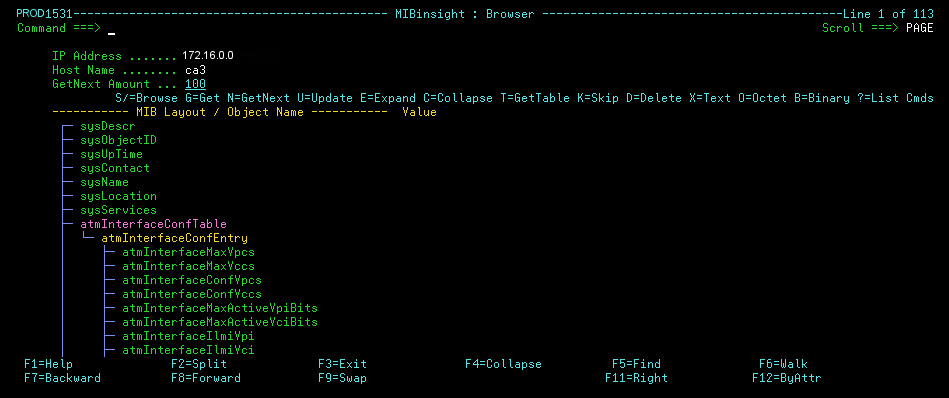
Displays a flat list of OIDs with only table entries, index, and attribute groupings, with contained entries indented. This is the default mode.
Example
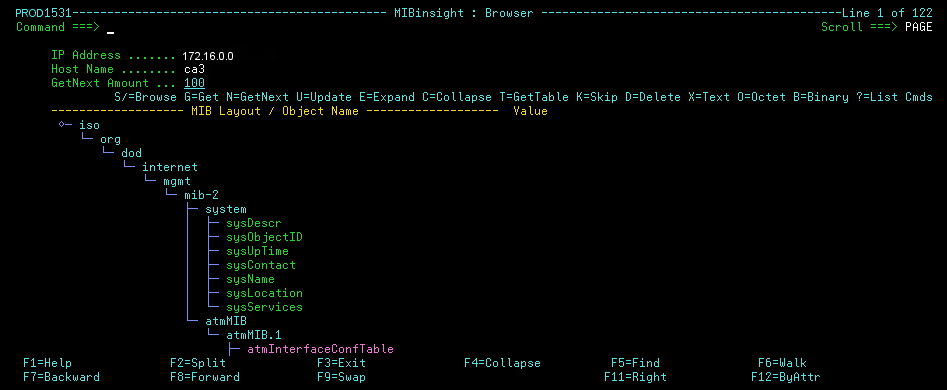
Displays a fully-indented SNMP tree structure leading to an OID.
Example
To display the SNMP tree in flat mode, enter the primary command FLATTEN at the prompt.
To display the SNMP tree in explore mode, enter the primary command EXPLORE at the prompt.
Objects that have subordinate objects in the MIB, and hence are expandable, are preceded by a rectangle.
To expand the tree, enter E beside it.
Note: You can enter EE to perform the same action recursively through all subordinate levels.
To collapse the tree, enter C beside it.
Note: You can enter CC to perform the same action recursively through all subordinate levels.
You can toggle between global expand and global collapse by pressing F4, or by using the EXPAND and COLLAPSE primary commands.
| Copyright © 2012 CA. All rights reserved. |
|