

The Action button is available after a successful deployment.
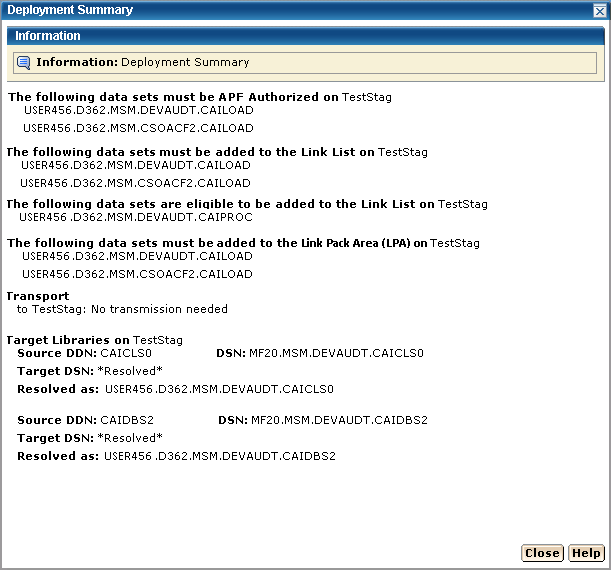
Important! Data sets may need to be APF-authorized and added to the Link List and Link Pack Area. These data sets are identified in this dialog.
The Deployment Summary window may contain the following:
The following example shows the Data Sets actions, Transport, and Target libraries information.
Note: When you have completed the procedures in this section, go to Configuring Your Product.
|
Copyright © 2010 CA.
All rights reserved.
|
|