

You can create a new deployment by using the New Deployment wizard.
To initiate deployment creation, click the Deployments tab, and then in the Actions section, click the Create Deployment link.
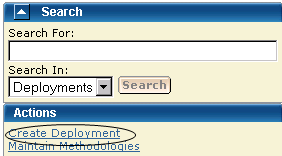
The New Deployment wizard opens to the Introduction step.
Note: When creating a deployment, you can save this deployment at any step in this wizard. This "under construction" deployment is added to the current deployments list. You can maintain this deployment until a successful snapshot has been created.
|
Copyright © 2010 CA.
All rights reserved.
|
|