

If you have monoplexes with the same sysplex name, you can create a sysplex or monoplex system registry. Monoplexes are stored in the sysplex registry tree but with the name of the sysplex system and not the monoplex sysplex name. For example, you have a system XX16 defined as a monoplex, with a sysplex name of LOCAL. The system registry displays the system as a sysplex, with the name LOCAL. This sysplex contains one system: XX16.
Follow these steps:
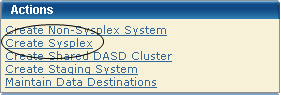
The New Sysplex dialog appears.
Note: The asterisk indicates that the field is mandatory.
Enter the sysplex system name.
Limits: Eight characters
Enter the description.
Limits: 255 characters
Sysplex and non-sysplex system can have the same name. Use the Description field to differentiate these systems.
The sysplex system is saved, and its name appears in the sysplex list on the right.
Note: Click Cancel to withdraw this create request.
Important! z/OS systems running under VM are treated as being in BASIC mode and not LPAR mode. As a result, the LPAR number is null in the z/OS control block. In this case, the system validation output includes the following message:
Property Name: z/OS LPAR Name, Value: ** Not Applicable **.
Enter the sysplex system name.
Limits: Eight characters
Note: Sysplex and non-sysplex systems can have the same name. Use the Description field to differentiate between these systems.
Enter the description.
Limits: 255 characters
(Optional) Enter the CAICCI system ID.
Limits: Eight characters
Note: The CAICCI system ID is a unique name for a system that is part of a CAICCI network. If you do not specify one, CA MSM obtains it using a validate action.
The non-sysplex system is saved, and its name appears in the non-sysplex system list on the left.
Note: To withdraw this create request, click Cancel.
|
Copyright © 2010 CA.
All rights reserved.
|
|