

To access the Job Control Standards panels execute CLIST JCKSTD in your CAZ2CLS0 library, enter %JCKSTD at the TSO READY prompt, or enter %JCKSTD as a TSO command in ISPF.
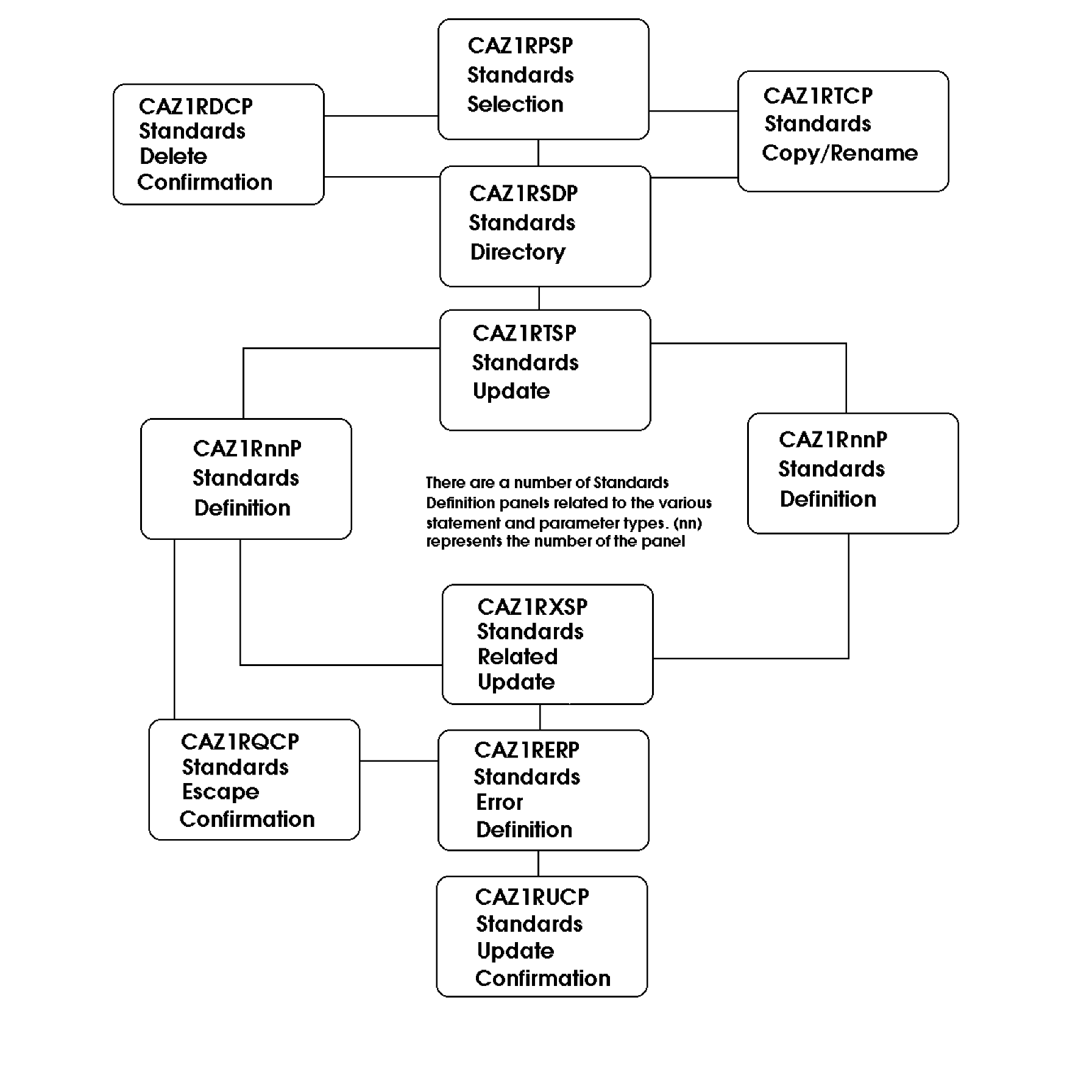
There are several types of Standard Definition panels (CAZ1RnnP) that only vary in relation to the statement type you select and the size of its VALUE field. You must END out of each panel to save any information you enter.
The following diagram illustrates the JCS panel names, IDs, and the general flow path for using them. You do not have to follow a set path once you enter these panels.
|
Copyright © 2014 CA.
All rights reserved.
|
|