

Resume the program execution after evaluating and resolving an error that the program identified or after the program has stopped at a breakpoint.
Follow these steps:
 on the InterTest Debug view toolbar to continue testing by resuming program execution.
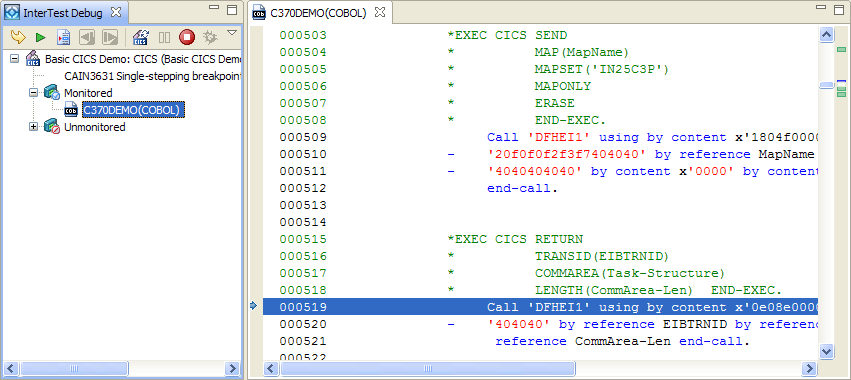
Program execution stops at the next statement. The debug status in the InterTest Debug view indicates that the program is at a single-step breakpoint and that shows the value that you updated in resolving the previous abend.
The following example shows the results of this step for the CICS COBOL demo.
 on the InterTest Debug view toolbar.
The demo program halts at the unconditional breakpoint you set previously in this tutorial. The InterTest Debug view window updates to reflect the reason for the stop
The program continues until no further abends, breakpoints, or bookmarks are encountered.
 on the InterTest Debug view toolbar.
The Cancel Debug Session dialog opens.
The debugging status now shows Debugging Inactive in the InterTest Debug view.
|
Copyright © 2015 CA Technologies.
All rights reserved.
|
|