Upgrade Guide › WebSphere Version › Upgrade on a WebSphere Cluster › Migrate CA Identity Manager on a Cluster to WebSphere 7 › Configure Workflow for Cluster Members
Configure Workflow for Cluster Members
From the Deployment Manager system where you installed CA IdentityMinder, you configure workflow for each cluster member.
Follow these steps:
- Start the WebSphere Console.
- Navigate to Servers, Server Types, Application Servers, server_name.
- Under Communications, Expand Ports.
- Make a note of the value for the BOOTSTRAP_ADDRESS port.
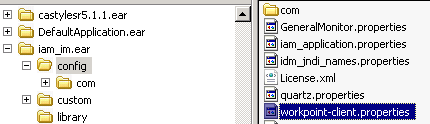
- Edit the workpoint-client.properties file under iam_im.ear/config.
- Locate the WebSphere section in this file.
- Replace 2809 (the default port) with the profile’s port that is used for the BOOTSTRAP_ADDRESS.
- Repeat this procedure for each cluster member.
- Restart the cluster members.
|
Copyright © 2013 CA.
All rights reserved.
|
|

