

CA Identity Manager Configuration Guide › Introduction to CA Identity Manager Environments › Multiple CA Identity Manager Environments
Multiple CA Identity Manager Environments
Create multiple CA Identity Manager environments when you want to:
Manage additional user stores—You can manage users in different types of user stores. For example, your company store all of its user profiles in a Sun Java System LDAP directory. You enter into a joint venture with a partner that uses an Oracle database to store user information. You would want a different CA Identity Manager environment for each set of users.
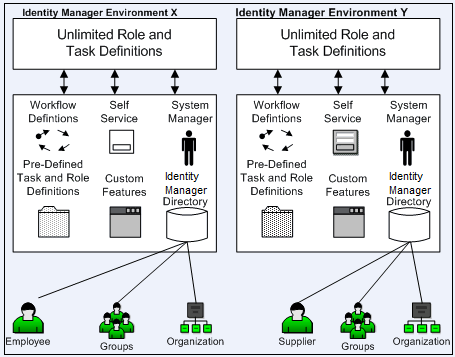
- Manage objects with different LDAP object classes— Consider CA Identity Manager is managing an LDAP directory. Within the same directory, you can manage objects of the same type along with different object classes and attributes. For example, the following illustration shows a directory that contains two types of users:
- Employees, who have an employee ID number.
- Suppliers, who are identified with a supplier number.
Copyright © 2014 CA.
All rights reserved.
|
|