

As a system database administrator or system integrator, you install CA Identity Governance with IBM WebSphere Application Server (WAS) 7 on Red Hat Enterprise Linux (RHEL) 6.2.
The supplied script installs CA Identity Governance and WebSphere by automating various installation tasks. WebSphere is an application server that provides application delivery with operational efficiency, reliability, security, and control. Clustering increases computer processing power, load balancing, and provides application high availability.
The following diagram illustrates how to install CA Identity Governance and WebSphere with the supplied script:
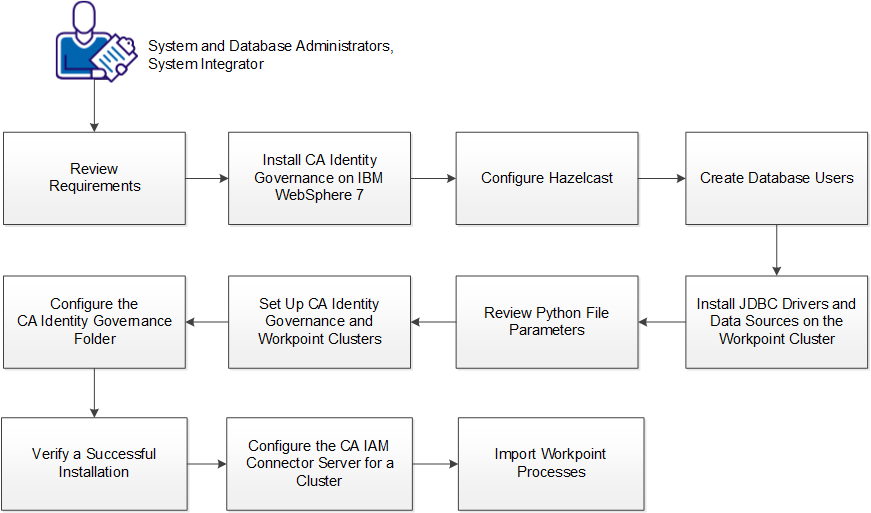
Follow these steps:
|
Copyright © 2014 CA.
All rights reserved.
|
|