

CA Identity Manager and Governance Integration Guide › Integrating with CA Identity Manager › How to Configure Integration
How to Configure Integration
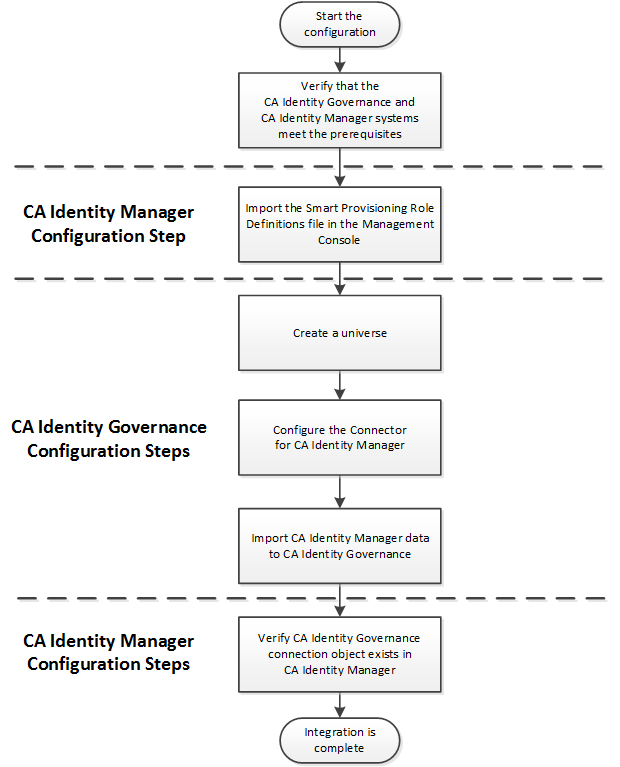
Perform the following steps when you configure integration with CA Identity Governance.
- Verify that the systems that host CA Identity Governance and CA Identity Manager meet the prerequisites.
- In CA Identity Manager, add integration support to your environment by importing the Smart Provisioning role definitions.
Note: The Smart Provisioning role definitions include the tasks that you use to configure the connection to CA Identity Governance in the User Console.
- In CA Identity Governance, complete the following steps:
- Create a universe.
- Configure an import connector to CA Identity Manager.
- Import data from CA Identity Manager to CA Identity Governance. This import creates a CA Identity Governance role model.
- Verify that a CA Identity Governance connection object was created in CA Identity Manager.
The following flowchart illustrates the steps required to configure integration between CA Identity Manager and CA Identity Governance.
Copyright © 2014 CA.
All rights reserved.
|
|