Previous Topic: Configure Journal FilesNext Topic: Configure the JK Connector


Create the Master Node for JBoss 6.1

You begin creating the JBoss 6.1 cluster by creating the master node, the first node in the cluster.

Follow these steps:

  1. Install JBoss and the JDK on the computer.
  2. Start the CA Identity Manager installation program.

    release represents the current release of CA Identity Manager.

    Important! Make sure that you have the collected the information needed by the installer, such as user names, host names, and ports.

  3. Complete the section requesting database credentials by entering the same values from the previous release of CA Identity Manager.

    If you are starting from CA Identity Manager r12 and you have different database stores for task persistence, workflow, audit, and reports, update the data sources manually after installation to point to the separate stores.

    Note: If you see options to upgrade the workflow database and migrate task persistence data during the installation, enable those options.
  4. Complete the Select Components section by including the CA Identity Manager Server and any other components that you need on this system.
  5. Complete the other sections based on your requirements for the installation.
  6. When you enter any password or shared secret in the installation, be sure to provide a password that you can recall when needed.

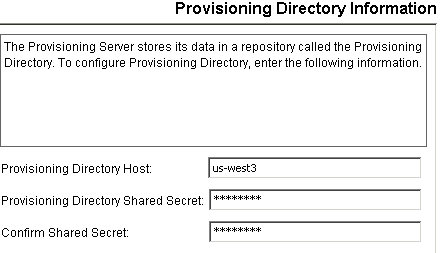
    The user enters Provisioning Directory information.

  7. Complete the JBoss Application Server Information page as follows:
    1. Enter the Access Server URL and port with the URL and port number of the web server used for load balancing.
    2. Select Cluster Installation.
    3. Enter a Peer ID, a unique number between 0 and 255. Make a record of the Peer ID, so that you use a different number for other nodes.
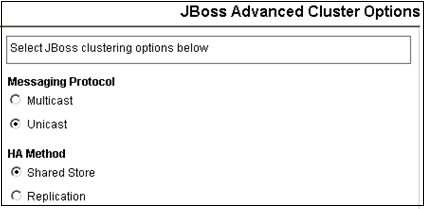
  8. Select the Advanced Cluster Options.
  9. If you chose multicast, skip to the next step.

    Supply a list of unicast initial hosts of the systems where JBoss is installed.
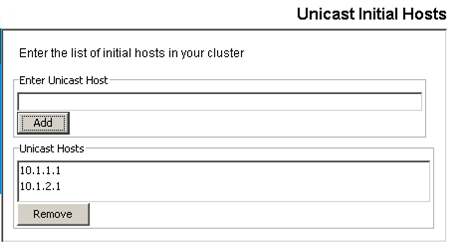
    Add initial hosts in JBoss cluster

  10. If you chose Unicast, skip to the next step.

    If the multicast address test failed, edit the MULTI_CAST_ADDRESS value in the standalone.bat or standalone.sh file. Enter a unique multicast address.

  11. If you are installing on a system that supports IPv6, modify one of the following properties in the IDM_OPTS entry in the standalone.bat or standalone.sh file:
  12. If any issues occur during installation, inspect the installation logs.