

CA Identity Manager allows you to create and customize reports to suit your business needs. CA Identity Manager provides a Report Parameter XML file which includes all the parameters related to reporting attributes. According to your business needs, you can choose the required attributes in order to populate report data from the snapshot data source.
The following graphic illustrates the process to create and run a custom snapshot report:
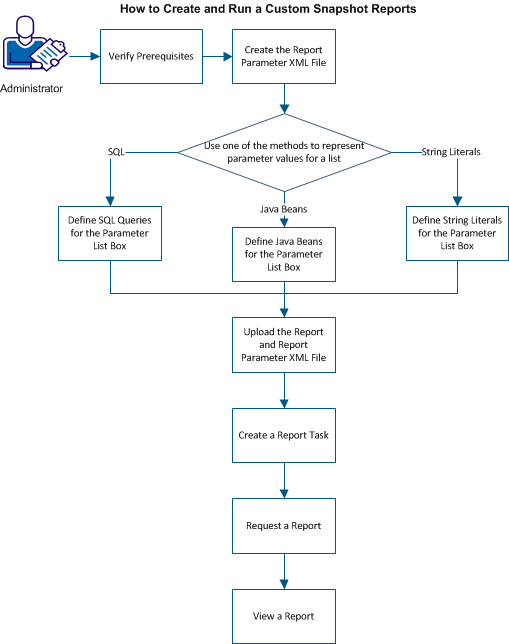
As a system administrator, complete the following steps:
|
Copyright © 2014 CA.
All rights reserved.
|
|