

CA Identity Manager Installation Guide › WebSphere Version › Manual EAR Deployment › Generate the EAR Files
Generate the EAR Files
Follow these steps:
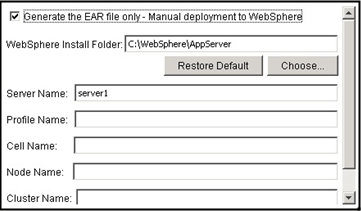
Run the CA Identity Manager installer and select the Generate EAR file only option. The installer creates the following EAR files:
- WAS_IMR12.ear: This is the compressed iam_im.ear (the EAR file of the CA Identity Manager application).
- WAS_caStyles.ear: This is the compressed castyles5.1.1.ear (the EAR file for the CA Identity Manager style sheets).
These files are installed in the location that you specify during installation.
The installation also creates the following folders:
- install_location\IAM Suite\WebSphere-ear - Contains EAR files and exploded backup files
- install_location\IAM Suite\WebSphere-tools - Contains JACL scripts and other tools
Copyright © 2014 CA.
All rights reserved.
|
|