Previous Topic: Linked MailboxesNext Topic: Configure Exchange 2010 Endpoints


Connect to Exchange 2010

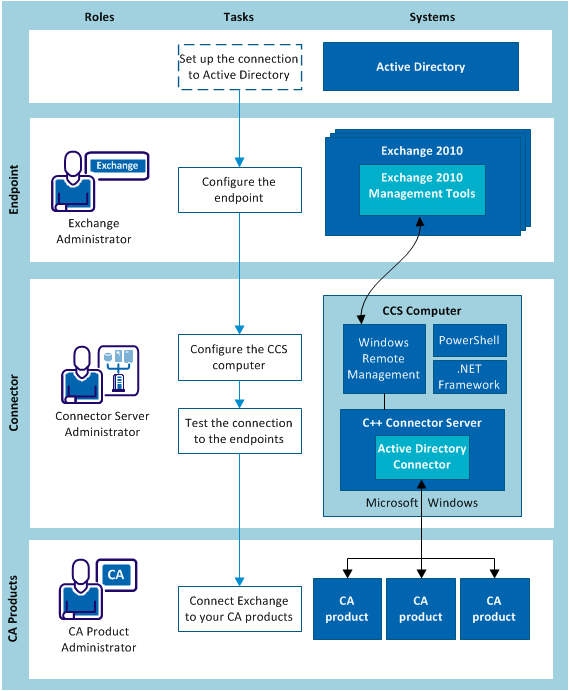
The following diagram shows the process for connecting to Exchange 2010 without an agent on the endpoint.

Architecture diagram for agentless mode for Exchange 2010

  1. The Exchange administrator configures the endpoints.
  2. The CA Identity Manager administrator does the following steps:
    1. Configure the CCS computer.
    2. Test the connection to Exchange 2010.
  3. The administrator of each CA product connects to the Active Exchange 2010 endpoint by updating the existing connection to Active Directory.