

The tabs in the default admin tasks are independent of the other tabs in the task. Users can use the tabs in the task in any order. They do not need to complete each tab before submitting the task.
This tab configuration, shown in the following example, is created by the standard tab controller.
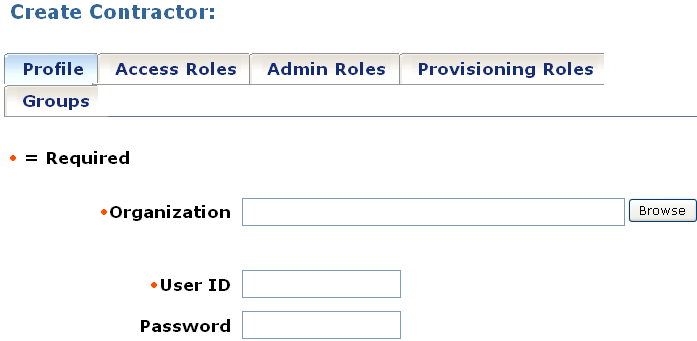
To configure the standard tab controller
CA Identity Manager displays the tabs for modifying an admin task.
CA Identity Manager saves the changes to the task.
|
Copyright © 2014 CA.
All rights reserved.
|
|