

An admin task is an administrative function performed by CA Identity Manager users. It is comprised of tabs, which logically group a set of fields or functionality. For example, the default Modify User task includes the following tabs:
When administrators use this task, they select the appropriate tab to enter profile information, manage roles, or manage group membership.
A tab may be associated with multiple tasks.
The following example shows an admin task with multiple tabs.
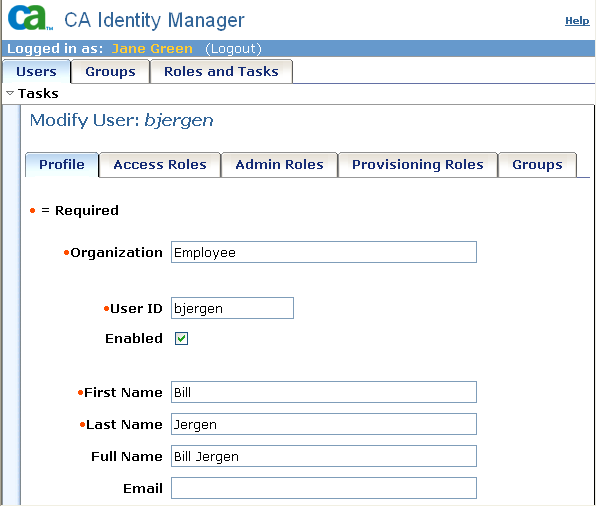
Tabs may be associated with a configurable screen, which determines the appearance and content of the tab. To change a default tab, you can modify the screen that is associated with the tab, or create a new screen.
A screen may be associated with multiple tabs.
|
Copyright © 2014 CA.
All rights reserved.
|
|