

You can configure CA Identity Manager to add additional actions that users can perform in search and list screens. For example, you can configure the search screen in the Modify User task to enable users to perform a task, such as disabling a user, from the list of users returned by the search.
Adding tasks to search and list screens reduces the number of clicks required to complete a task, and simplifies the user console.
Tasks on search and list screens can be displayed using one of the following methods:
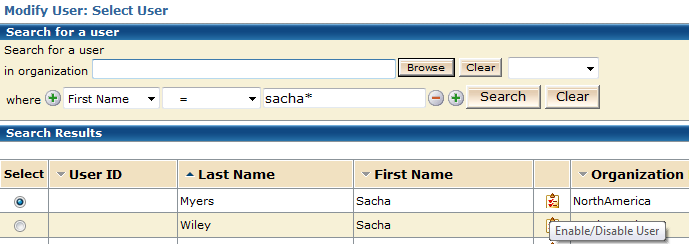
Displays each task as a links or icon in the search results or list screens. Use this method to display a small number of tasks.
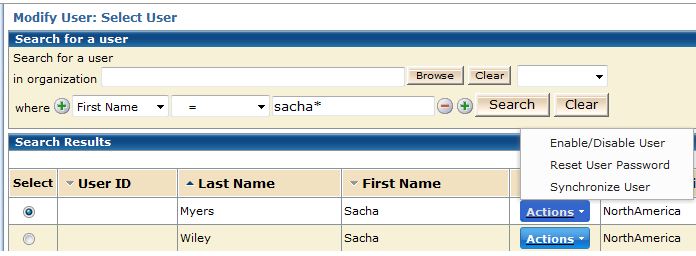
Displays an Action button in each row in search results or list screens. Administrators click the Action button to see the list of tasks that they can perform for that user.
Use this method if users are able to perform more than two or three tasks.
|
Copyright © 2014 CA.
All rights reserved.
|
|