

In versions before Exchange 2010, the Exchange administrator specifies the mailbox database in which to store a mailbox. From Exchange 2010, if you do not specify a mailbox database, Exchange chooses where to put the mailbox. This happens when you create or move a mailbox or mailbox-enable a user.
The Exchange connector detects the version of Exchange it is connecting to. If it is connecting Exchange 2010, it lets you use automatic mailbox distribution.
Use the following steps when you are creating a new account or account template.
Follow these steps:
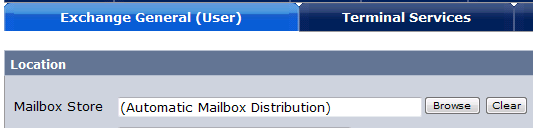
When the account is created, Exchange uses Automatic Mailbox Distribution to decide where to put the mailbox.
|
Copyright © 2013 CA.
All rights reserved.
|
|