

When an item is added to the Software Package Library, its files are stored in a directory structure based on the type of media from which it was copied. If the program is copied from multiple data carriers (for example, CD-ROMs), a typical directory structure would be as shown in the following illustration:
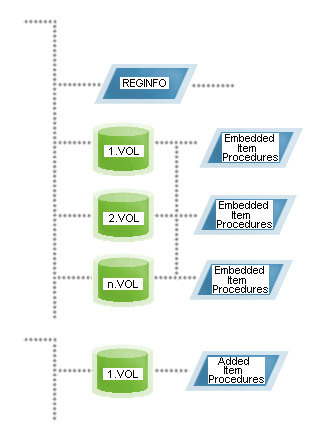
Each data carrier is stored as a volume under the program directory. The first volume is called 1.VOL, the second 2.VOL, and so on.
Note: The importance of volumes has decreased over the years as most packages nowadays fit onto a single installation medium.
If the program is copied from a single data carrier or directory, it is considered a single volume source and is distributed as shown in the following illustration:
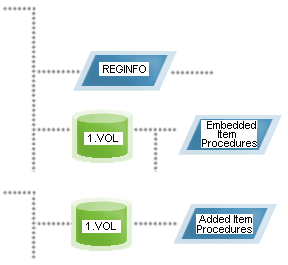
In both single or multiple data carrier scenarios, item procedures that are identified at the time the product is originally registered (also known as embedded item procedures) typically appear in subdirectories under the main volumes, unless the procedure is included in the root directory of the original install data carrier or directory.
Note: Different media types cannot be combined into the same source.
|
Copyright © 2013 CA.
All rights reserved.
|
|