

If you create a job container when setting up jobs, a different dialog is displayed. For example, if you drag and drop a job onto a computer or computer group and select Schedule jobs, a dialog similar to the following is displayed:
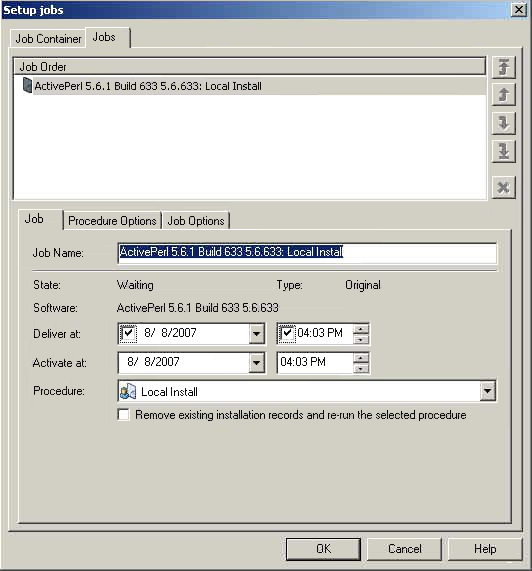
It is possible to define separate delivery and activation times, which allows you to separate the delivery of software and the staging of jobs to the staging area on the scalability server or the target computers (if DTS NOS-less computers) from the actual activation time of the job.
The activation time reflects the earliest possible activation time. If the delivery or staging exceeds the activation time, the activation is postponed accordingly for the affected target computers.
The delivery time is set on each job. By default, the delivery time is set to the activation time for all jobs.
Synchronized job containers perform delivery and activation for each job processed, that is, the delivery of a job does not start before the previous job has successfully completed.
Note: From a domain manager you can also choose the Schedule delivery to a Staging Library option when you drag and drop a job onto a scalability server or scalability server group. This option displays another dialog that lets you add items to the library of a downstream scalability server.
|
Copyright © 2013 CA.
All rights reserved.
|
|