

A digital certificate can be stored on a smart card that includes the user’s name, organization, and other identification information. Such smart cards are used to secure mission-critical applications, such as email, web server access, network access, and system login.
CA ITCM supports smart card readers, and Remote Control can now redirect smart card authentication when the user of a Remote Control viewer attempts to log on to the operating system of a remote host computer using their local smart card.
If necessary, a new smart card device is silently installed on the host computer. Thereafter, this device is always visible from the system's Device Manager, even when a session is not connected:
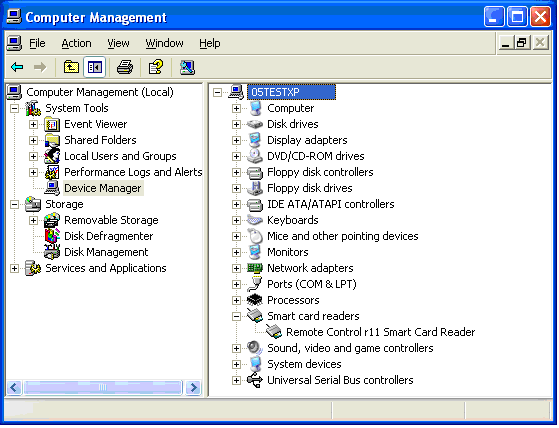
The name of the device does not indicate which viewer is attached. Even after the virtual smart card device has been installed, it is hidden from smart card applications until the viewer user connects their smart card reader for the first time. Therefore, the reader will not appear in the standard smart card insertion UI until the Remote Control viewer has activated it for the first time. The device will remain visible until the computer is rebooted or the device is manually removed.
Note: For more information, see the Implementation Guide.
|
Copyright © 2013 CA.
All rights reserved.
|
|