

Collected inventory information for virtual host computers is displayed like any other inventory information in the tree view of the DSM Explorer.
The inventory reflects the specific properties of a virtual host, and Sun, IBM, HP, and VMware ESX servers are presented as computer units.
A computer unit appears for each of the managed guest computers. The virtual host unit and its associated guests are reported as related computers, and you can easily navigate between both.
The following illustration shows the inventory information for a virtual host:
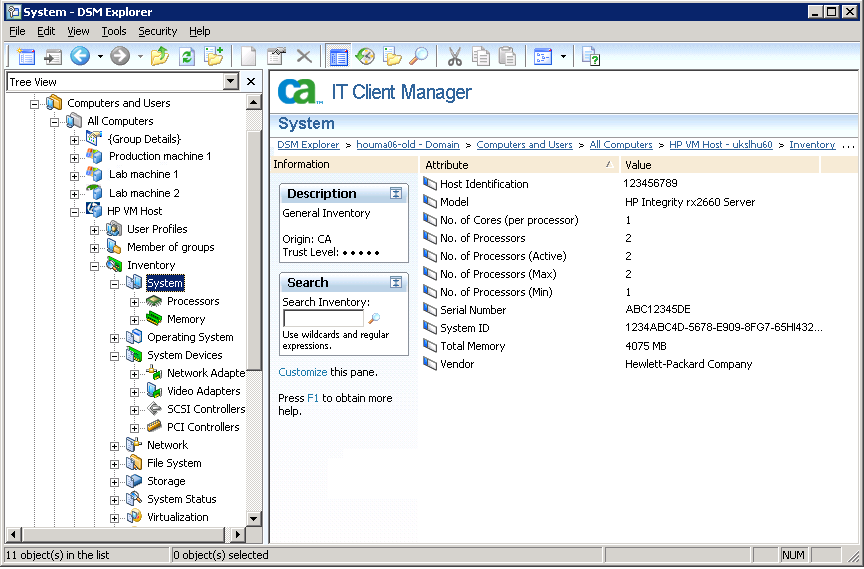
Note: The number of processors displayed in the DSM Explorer (under the Inventory, System, Processors node) for the inventory data of the system controller computer includes only the powered up processors. The powered off processors are not counted in this case.
|
Copyright © 2013 CA.
All rights reserved.
|
|