

The hardware inventory collect task retrieves the hardware inventory information and displays it under the Inventory folder (such as System, Operating System, System Devices, Network, File Systems, External Devices, and so on) in the DSM Explorer. The amount of information available under the Inventory folder varies depending on whether asset management is installed or not. Thus, the structure of the hardware inventory information depends on the modules that are used for collecting the information. Based on these modules, the collected information can be categorized under the following categories:
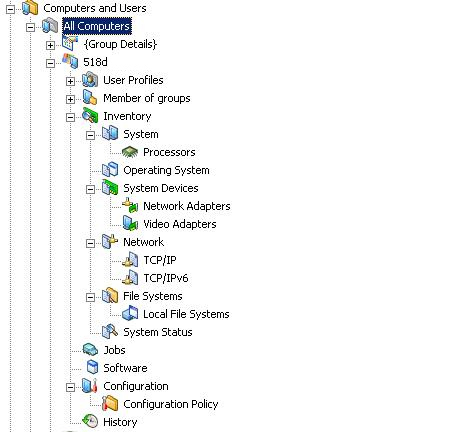
Includes the basic hardware inventory collected by the common agent. As only the basic hardware inventory module is used in this case, only a subset of the information is collected and shown. The common agent is automatically deployed on the computers in the DSM domain. This inventory is collected regardless of whether asset management is installed or not.
For example, the following screenshot shows the information available if the basic hardware inventory module is used:
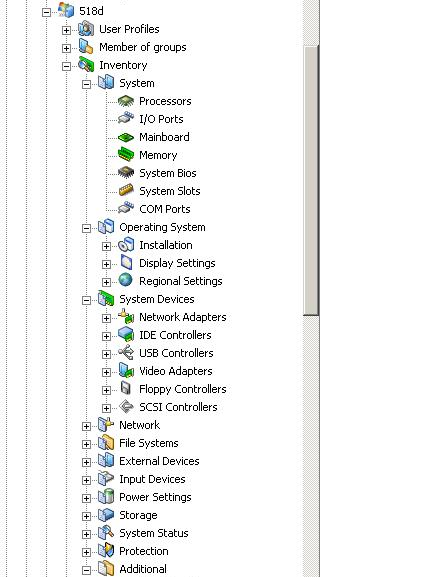
Includes the inventory information that is collected based on the configured detection modules. These inventories are collected only if you have installed asset management. By default, the General Inventory, Microsoft License Information, Performance Inventory, and Protection Inventory options are selected.
For example, the following screenshot shows the information available if the asset management inventory is used:
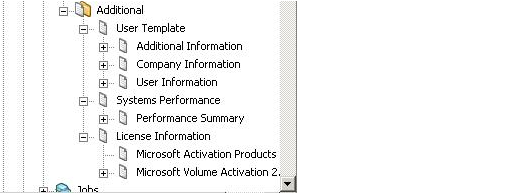
Includes the information collected through various modules other than the General Inventory module. This folder also includes the system performance and template inventories. These inventories are collected only if you have installed asset management.
For example, the following screenshot shows the additional inventory information available for other optional modules:
|
Copyright © 2013 CA.
All rights reserved.
|
|