

You can set up CA APM data security by creating data filters. You use the data filters to limit the data that users and user roles can view, create, or modify. Users can view, create, or modify only the data that the filter specifies. You can create filters for any of the primary objects:
Note: You cannot create a filter for a secondary object that is included in List Management. For example, you can filter assets (primary object) based on the cost center (secondary object) so that you only see assets that belong to a specific cost center. However, all cost centers are still accessible. To restrict access to cost centers (or other secondary objects), assign the user to a configuration that does not allow access to these objects.
As a system administrator, you define filters that limit data access in the following ways:
For example, define a filter that limits assets by the cost center of the contact. If you apply the filter to all users, the assets dynamically filter based on each user cost center. If the contact cost center is changed, the product filters the assets for the new cost center automatically.
For example, allow a user to view assets in the Development cost center. Development is a fixed value. If the cost center changes, the cost center is not automatically changed in the filter.
The data that matches the filter criteria is accessible to filter users.
Note: You can also set up CA APM security by configuring the user interface. Through this configuration, you can control user access to the different functions in CA APM.
Important! In this scenario, the system administrator defines the filters. However, the administrator can grant filter management permissions to any CA APM user role.
The following diagram illustrates how a system administrator secures CA APM data with filters.
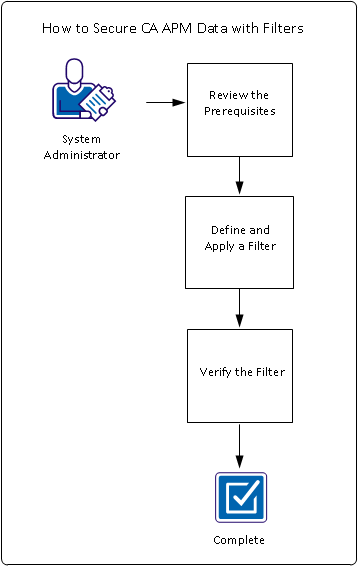
To filter CA APM data, perform these steps:
Example: Filter Asset Data by Cost Center
Sam, the CA APM system administrator at Document Management Company, wants to ensure that organizational data security requirements are met. Sam wants to limit user access to the company asset records so that users see only their own cost center data. Sam creates a filter for Asset (All Families) and assigns the filter to particular users. Sam verifies that the filter works to ensure the organizational data security.
|
Copyright © 2013 CA.
All rights reserved.
|
|