Command Console › Command Console Workspace › Set Command Console Preferences
Set Command Console Preferences
You can set the command console preferences using the following steps.
To set preferences for the Command Console
- Click the Preferences button
 on the Workspace toolbar or select the Preferences command from the File menu. Both actions open the Preferences dialog.
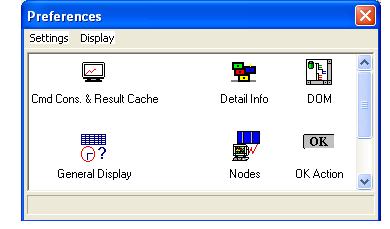
- Double-click the Cmd Console icon. The Cmd Console Preferences dialog opens where you can do the following:
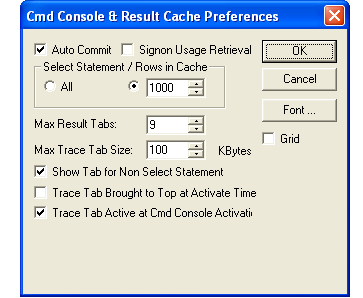
- Select trace options.
- Define how many records to keep in memory. When the cache becomes full, retrieval is suspended until a scroll down is requested. Following a scroll down request, the first half of the cache is emptied and fetching is resumed. Fetching continues to function until the cache becomes full once again.
- Specify how many history tabs to provide.
- Set an indicator that determines whether changes made to the data during the execution of an SQL query are automatically committed.
- Choose the display font for the Command Console.
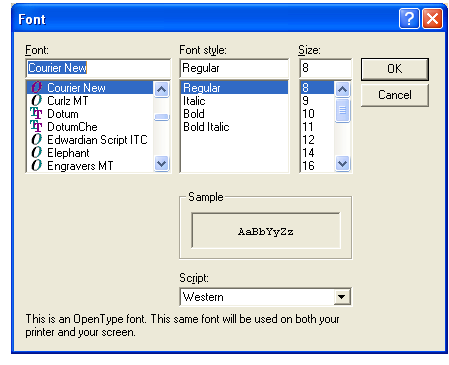
- If you click the Font button, the following dialog opens where you can choose the font, font style, and point size of the text used in the Command Console.