

|
|
|
With the Force Refresh command  on the View menu or toolbar, you can refresh data "on-the-fly" for either a single branch, all branches, or any object type.
The alternative to the Force Refresh command is Activate Background Refresh, also on the View menu. This command refreshes the data at a specified frequency, using the parameters defined in the Background Refresh Preferences dialog invoked by the File Preferences command.
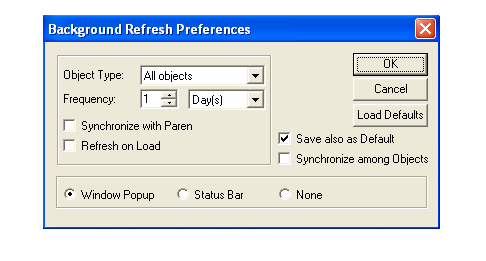
You can set the Background Refresh Preferences so that different object types are refreshed at different frequencies. You can also save your refresh setting as default settings to use with current and new workspace environment configurations.
| Copyright © 2011 CA. All rights reserved. | Tell Technical Publications how we can improve this information |