

|
|
|
After you select a data source or node and connect to it, a Database Object Manager window is displayed, which looks similar to the following sample window.
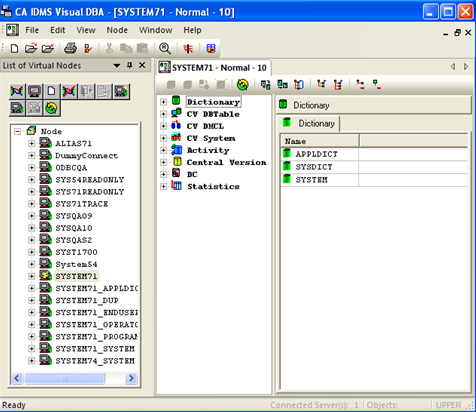
After the initial connection, you can use the previous procedure to open multiple windows for the same data source or to connect to a different data source.
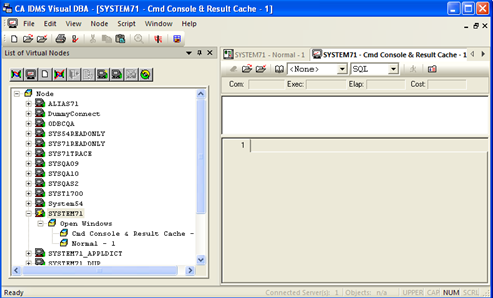
Note: If you choose to reconnect to the same data source, a new window opens and overlays the space of the existing one. Use the functions in the Window menu to manage the windows. You can use the tabs below the main toolbar to quickly navigate from one window to the other.
In the following example, the same data source is used multiple times. The expansion of the connected node in the Node window shows that it is used in both Normal and Command Console modes.
| Copyright © 2011 CA. All rights reserved. | Tell Technical Publications how we can improve this information |