

CA IDMS SASO Sessions › Screens › Online Review and Application
Online Review and Application
Once the maintenance release has been loaded into the maintenance area of the database, the online functions of the Maintenance Option are used to review and selectively apply the enhancements. See Exhibit 3.48 for a conceptual view of this process.
There are several ways to apply enhancements using the online functions:
- Apply the enhancement exactly as is. When an enhancement is applied, the current sections are overlaid on the primary side of the database for REPLACE types. For INSERT types, the enhancement is inserted into the current sections of the permanent document and existing external ID is altered to maintain the contiguous numbering scheme.
- Alter the textual contents of a maintenance topic with the editing commands and then apply them.
- Make alterations, to the text on the primary side of the database, based upon the Discrepancies Report and then delete or purge the maintenance. This process is referred to as a "logical application" because the text in the maintenance area does not overlay the text in the primary area.
- Copy text into the primary side, from the maintenance area, using the COPY editing command, then delete or purge the maintenance (logical application).
- Delete the enhancements and do not apply them.
- Permanently remove the enhancement from the maintenance side of the database using the PURGE command.
See Exhibit 3.49 for a conceptual flowchart of the online enhancement process.
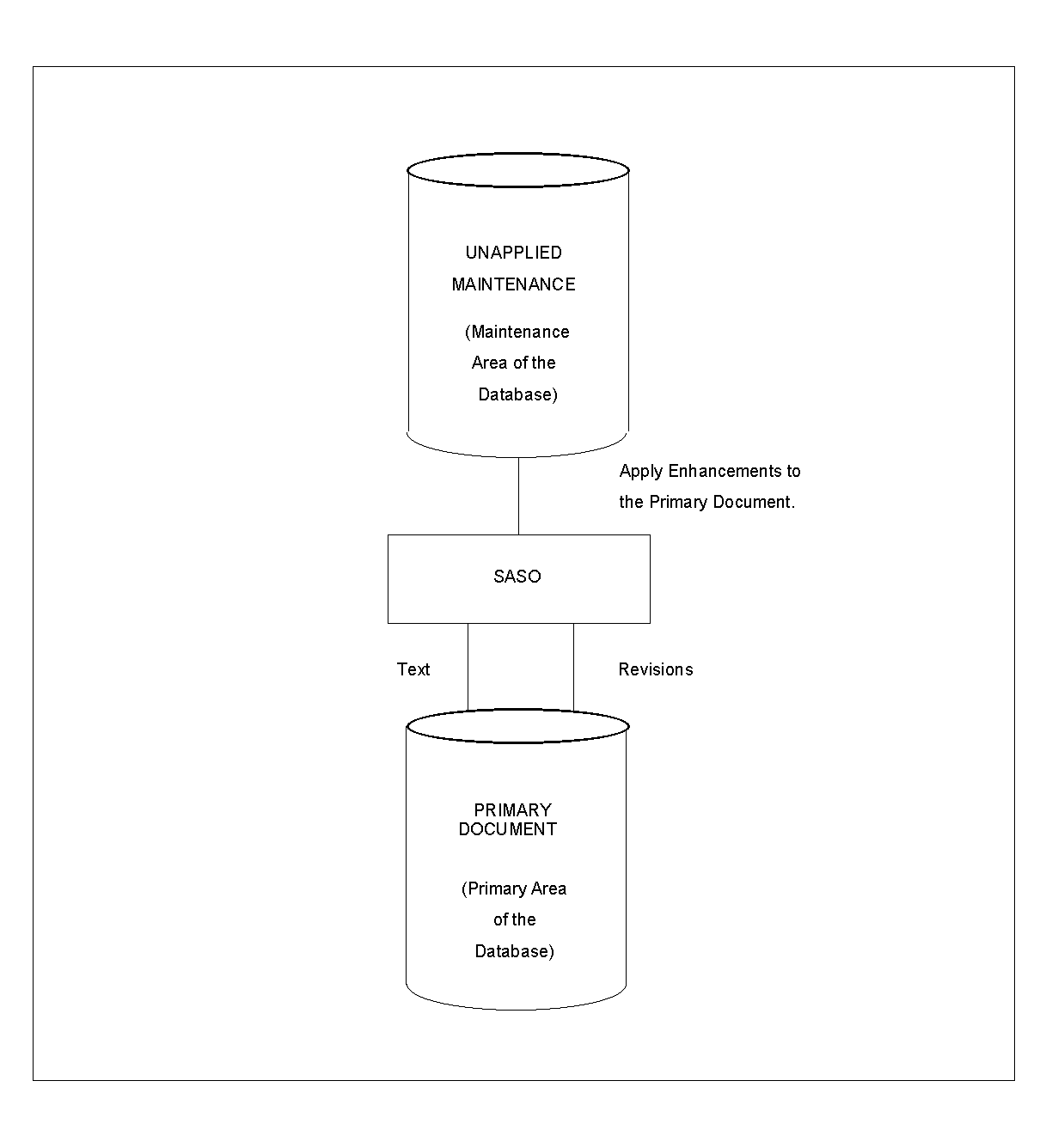
Exhibit 3.48: Database Load and Application Process
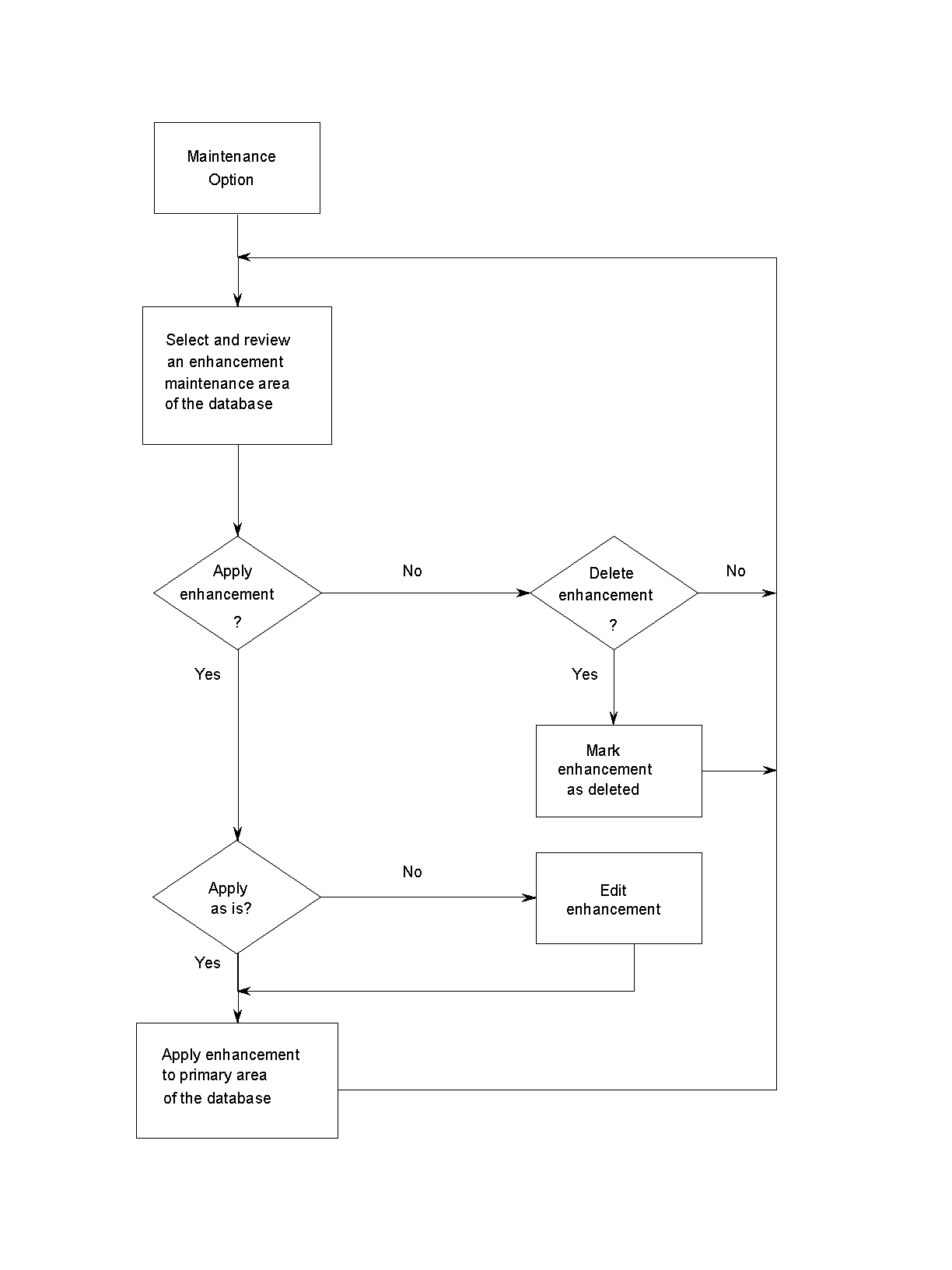
Exhibit 3.49: Online Enhancement Application Process
Copyright © 2013 CA.
All rights reserved.
|
|