

Before beginning the debugging process, it is recommended that you determine the breakpoints that you want to set and the storage locations that you want to examine.
The first step is to compile the program with appropriate listing options. The following options are recommended:
For VS-COBOL
SOURCE, CLIST or PMAP, DMAP
SOURCE gives a listing of the program source with compiler-assigned line numbers.
CLIST gives a cross reference of the assembler offset of each COBOL statement within the program.
PMAP gives a complete listing of the equivalent assembler code for the entire COBOL program.
CLIST is sufficient for most debugging sessions, but programmers who are familiar with assembler may wish to use the PMAP option.
By examining the register usage in the assembler code, it is sometimes possible to access data fields at a particular breakpoint more efficiently than by using the methods described below using CLIST and DMAP.
Either CLIST or PMAP will also cause the listing of global tables, particularly the TGT which is needed to determine the location of data variables.
DMAP gives a listing of the BL or BLL number and displacement for each field in the WORKING STORAGE and LINKAGE sections.
For COBOL II or LE COBOL
SOURCE, OFFSET or LIST, MAP
SOURCE has the same meaning as for VS-COBOL described above. OFFSET and LIST have the same meanings as CLIST and PMAP, respectively. MAP has the same meaning as the VS-COBOL DMAP option.
Breakpoints
To determine the hexadecimal offset of an executable program instruction at which you want to set a breakpoint, perform the following steps:
00787          *
00788          *     OBTAIN EMPLOYEE DB-KEY IS EMP-DBKEY
00789          *              ON ANY-STATUS
00790                     MOVE 0 TO DCNUM1 DCNUM2 DCFLG1 DCFLG2
00791                     MOVE 0028 TO DML-SEQUENCE
00792                     CALL 'IDMSCOBI' USING SUBSCHEMA-CTRL
00793                            IDBMSCOM (06)
00794                            SR415
00795                            EMP-DBKEY
00796                            IDBMSCOM (43)
00797                     IF NOT ANY-STATUS PERFORM IDMS-STATUS;
00798                     ELSE
00799                                       NEXT SENTENCE.
00800                IF DB-REC-NOT-FOUND
00801           *       MAP OUT USING DCTEST01
00802           *           MESSAGE IS EMP-NOT-FOUND-MESS
00803           *                   TO EMP-NOT-FOUND-MESS-END
00804           *                 DETAIL CURRENT
                        CONDENSED LISTING

                      .                                      .
                      .                                      .
785     MOVE        001CCC                786     GO       001CD0
790     MOVE        001CD6                791     MOVE     001CEE
792     CALL        001CF4                797     IF       001D3E
797     PERFORM     001D4C                800     IF       001D74
805     MOVE        001D80                806     MOVE     001D98
807     MOVE        001D9E                808     MOVE     001DA4
                      .                                      .
                      .                                      .
WORKING-STORAGE SECTION variables
To determine the register assignment and offset of WORKING- STORAGE SECTION variables, perform the following steps:
REGISTER ASSIGNMENT
 REG 6 BL =1
Note: For some WORKING-STORAGE or LINKAGE SECTIONfields, there may not be a fixed register which always points to the base locator for linkage (BLL) cell. However, the BL cell is at a given offset from the beginning of the TGT.
For non-LE-compliant compilers, register 13 usually points to the TGT at runtime. For LE-compliant compilers, register 9 usually points to the TGT at runtime.
A copy of the TGT and WORKING STORAGE is allocated in the CA IDMS storage pools for each task at runtime. Therefore, you must not use the TGT or WORKING STORAGE in the program pool.
DNM=1-364     01  LONGTERM-TEST           BL=1     038    DNM=1-364    DS
DNM=1-387     01  EMP-DBKEY               BL=1     040    DNM=1-387    DS
DNM=1-406     01  FIRST-PAGE-SW           BL=1     048    DNM=1-406    DS
DNM=1-432     88  LESS-THAN-A-PAGE                        DNM=1-432
                      .
                      .
                      .
DNM=4-276     01  SUBSCHEMA-CTRL          BL=1     260    DNM=4-276    DS
DNM=4-303     02  PROGRAM-NAME            BL=1     260    DNM=4-303    DS
DNM=4-325     02  ERROR-STATUS            BL=1     268    DNM=4-325    DS
DNM=4-350     88  DB-STATUS-OK                            DNM=4-350
DNM=4-376     88  ANY-STATUS                              DNM=4-376
DNM=4-399     88  ANY-ERROR-STATUS                        DNM=4-399
DNM=4-425     88  DB-END-OF-SET                           DNM=4-425
DNM=4-452     88  DB-REC-NOT-FOUND                        DNM=4-452
DNM=6-028     02  DBKEY                   BL=1     26C    DNM=6-028    DS
DNM=6-043     02  RECORD-NAME             BL=1     270    DNM=6-043    DS
                      .
                      .
LINKAGE SECTION variables
To determine the location of LINKAGE SECTION variables, perform the following steps:
                       MEMORY MAP
                TGT                     00868

           SAVE AREA                    00868
           SWITCH                       008B0
           TALLY                        008B4
           SORT SAVE                    008B8
           ENTRY-SAVE                   008BC
               .
               .
               .
           TEMP STORAGE-3               00A78
           TEMP STORAGE-4               00A78
           BLL CELLS                    00A78
           VLC CELLS                    00A8C
               .
               .
BLL CELLS - TGT = displacement for BLL cells within TGT

X'A78' - X'868' = X'208'
Note: This value will be used later in the runtime phase to locate the actual BLL cells.
DNM=14-361     01  PASS-DEPT-INFO          BLL=3    000    DNM=14-361     D
DNM=14-391     02  PASS-DEPT-ID            BLL=3    000    DNM=14-391     D
DNM=14-416     02  PASS-DEPT-INFO-END      BLL=3    004    DNM=14-416     D
DNM=14-444     01  ERROR-DATA              BLL=4    000    DNM=14-444     D
DNM=14-467     02  ERROR-DEPT-ID           BLL=4    000    DNM=14-467     D
DNM=15-000     02  ERROR-MESSAGE-CODE      BLL=4    004    DNM=15-000     D
DNM=15-031     02  ERROR-DATA-END          BLL=4    008    DNM=15-031     D
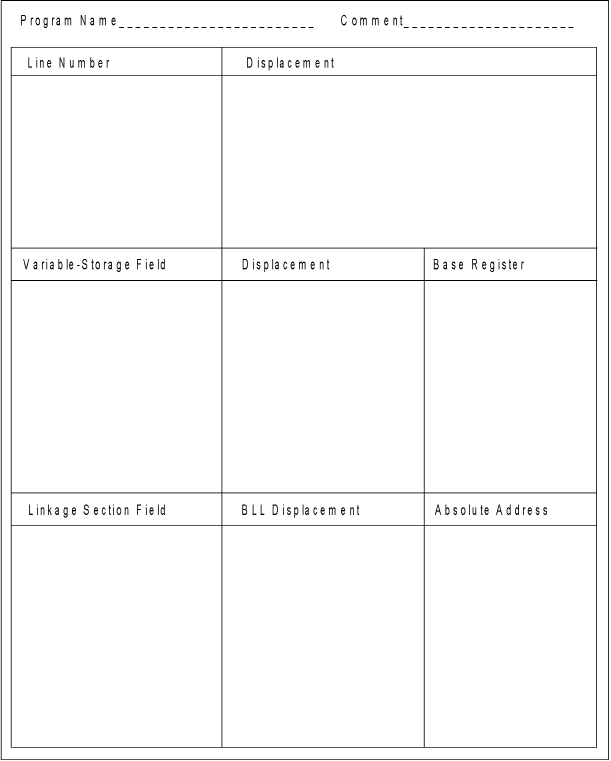
You can use the following table to record displacement information before starting a debugger session.
|
Copyright © 2013 CA.
All rights reserved.
|
|