

How to Save a Set of Commands as a Qfile › Modifying Your Qfile Definition
Modifying Your Qfile Definition
When you modify a qfile, CA OLQ overlays your IDD qfile definition with the commands used to build your current report. Using this feature, you can:
- Execute an existing qfile, change the report, and replace the qfile
- Execute a qfile, change the report, and save it as a different qfile
- Create a new report from scratch and save it under the name of an existing qfile
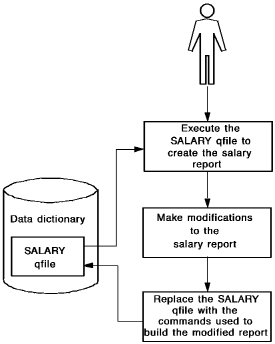
In this example, you modify the SALARY qfile using the following steps:
- Establish a current report by executing the SALARY qfile
- Modify the report definition to suppress the display of detail lines (those not containing any summary calculations)
- Replace the qfile, overriding the current SALARY qfile definition with the commands used to build the summary report
Modifying Your Qfile Definition:
Copyright © 2013 CA.
All rights reserved.
|
|