

Your program can access a CA IDMS/DB database by using either navigational or LRF (logical record) DML statements:
Navigational and LRF DML statements are discussed separately below.
Navigating the Database
Navigational DML statements access database records and sets one record at a time, checking and maintaining currency in order to assure correct results. Navigational DML statements provide:
To use navigational DML statements, you must have a thorough knowledge of the database structure. The database structure is illustrated in a data structure diagram. For an example of a data structure diagram, see the EMPLOYEE Data Structure Diagram.
The following figure illustrates a database structure that contains two owner records (EMPLOYEE and JOB) that share one member record (EMPOSITION). To obtain EMPLOYEE and JOB information, the program must retrieve an EMPLOYEE record, the first EMPOSITION record in the EMP-EMPOSITION set, and the owner record in the JOB-EMPOSITION set.
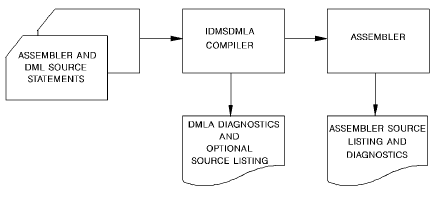
Navigational DML statements are grouped into four categories:
Accessing the Database Through LRF
LRF DML statements use the Logical Record Facility (LRF) to access database records. LRF accesses fields from multiple database records as if they were data fields in a single record. LRF DML statements allow your program to specify selection criteria (by using the WHERE clause) that enable your program to access only the logical records you need.
Note: For more information, see the Logical Record Facility Guide.
LRF DML statements provide:
The following figure illustrates how to use LRF DML statements to access the EMPJOBLR record. The EMPJOBLR record is a logical record that contains the EMPLOYEE record, the EMPOSITION record, the OFFICE record, and the JOB record. The EMPJOBLR logical record contains information from the EMPLOYEE, EMPOSITION, and JOB records.
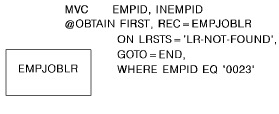
The LRF DML statements are :
|
Copyright © 2014 CA.
All rights reserved.
|
|