

The command and key functions are summarized in these exhibits:
|
Example |
Function |
|---|---|
|
FIND string |
Variables appear in lowercase. you substitute an appropriate value for each variable. |
|
UP [number-of-lines] |
Brackets indicate optional clauses. |
|
/ UP \ < DOWN > \ / |
Braces enclose two or more options. You select one of them. |
Exhibit 6.4: Notation Conventions
|
Item |
Rule |
|---|---|
|
Order of Commands |
You must enter a B (before) or an A (after) line command in conjunction with the C (copy) and M (move) line commands to indicate where to copy or move the lines. |
|
Entering Blanks in Commands |
Blanks (character spaces) are ignored in line command sequences, so you can enter blanks between a command and a value without affecting processing. You must enter at least one blank (character space) between a Primary Command and a primary command value field. You cannot embed blanks in a keyword. |
Exhibit 6.5: Command Syntax Rules
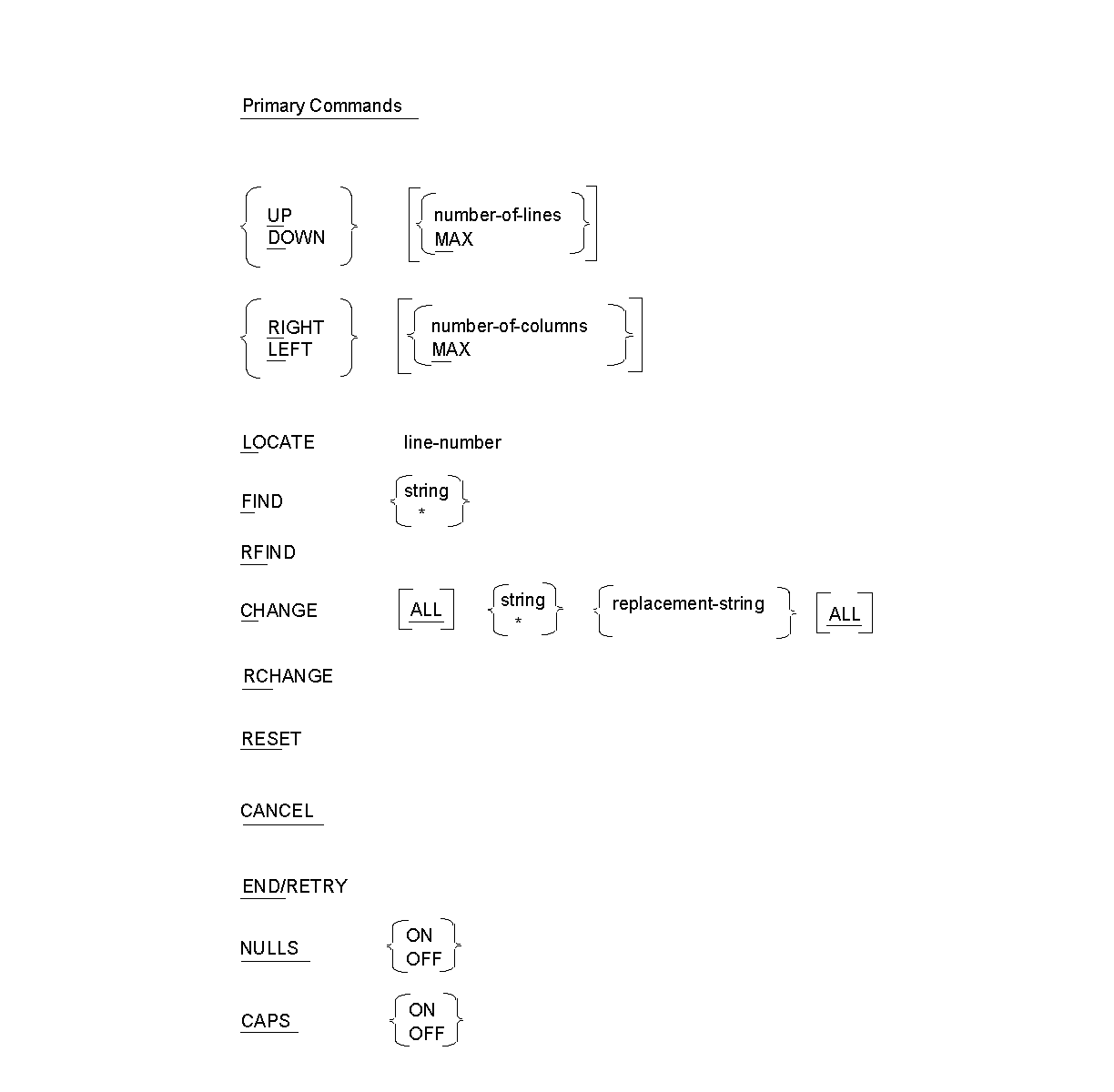
Exhibit 6.6: Command Syntax Summary
|
Copyright © 2013 CA.
All rights reserved.
|
|