

CA IDMS/DB Audit detects one type of page error:
Invalid page number
When an area is being swept, CA IDMS/DB Audit keeps track of the Page-Number of the page that is to be retrieved. A check of the page number within the page header and page footer is performed. For example, in Figure 2.31, the DEPT-REGION low and high page numbers are 5001 and 5100, respectively. When the 12th page is retrieved within the area, the page number of the returned page should be 5012; however, the page footer for page 5012 shows number 5094. CA IDMS/DB Audit corrects the page footer to be 5012.
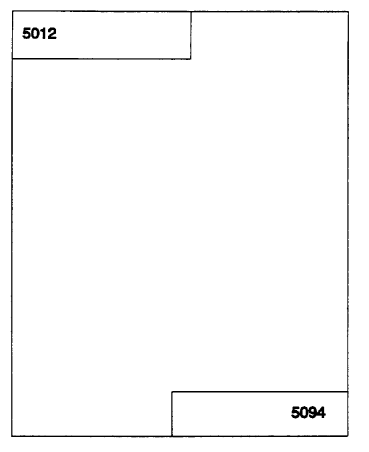
Figure 2.31: Invalid Page Number
|
Copyright © 2013 CA.
All rights reserved.
|
|