

In the EXPLICIT Mode, use the REPORT statement to specify reports that you want generated. To use the REPORT statement, you must select either the REPORTS option or the ALL option of the PROCESS statement.
In the EXPLICIT Mode, you must include a REPORT statement for each report you want produced. If you do not enter any REPORT statements, no reports will be produced.
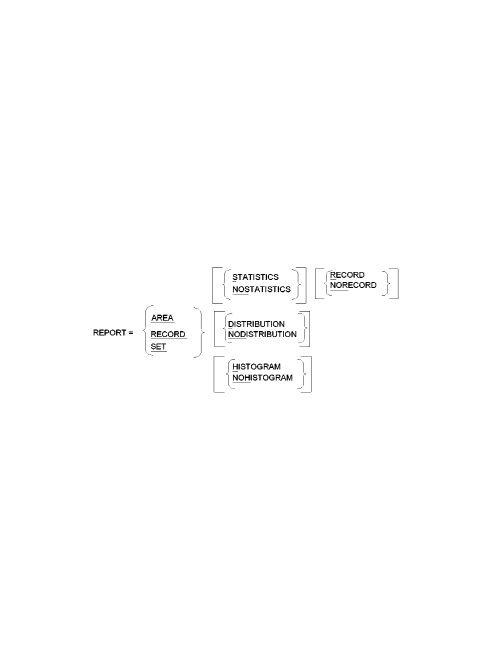
Exhibit 3.14: REPORT Statement Syntax
REPORT
REPORT identifies the REPORT statement and is followed by the names of the CA IDMS/DB Analyzer reports available. Select one and only one report name for each REPORT statement.
In the EXPLICIT Mode:
AREA
AREA indicates that you want to include the Area Report.
RECORD
RECORD indicates that you want to include the Record Report.
SET
SET indicates that you want to include the Set Report. For an SR8 (integrated index) set, in addition to the Set Report, the SR8 Index Report will be generated.
<STATISTICS >
, \NOSTATISTICS /
|
Copyright © 2013 CA.
All rights reserved.
|
|