

Use CA IDMS Visual DBA for defining, maintaining, and monitoring CA IDMS systems.
Business Value:
CA IDMS Visual DBA is an easy-to-use graphical user interface (GUI) tool for performing database administration tasks. It does not require use of JCL or knowledge of syntax to perform tasks. It has an extensive online help system with detailed context-sensitive information for all of its capabilities.
Use of this tool reduces the learning curve for a new DBA and increases the productivity of an experienced DBA. CA IDMS Visual DBA provides a single point-and-click interface for simultaneously managing and monitoring multiple CA IDMS systems and databases.
CA IDMS Visual DBA is available to all CA IDMS/DB clients at no charge.
Additional Considerations:
CA IDMS Visual DBA runs on the Windows operating system and can access multiple CA IDMS central versions from a single PC.
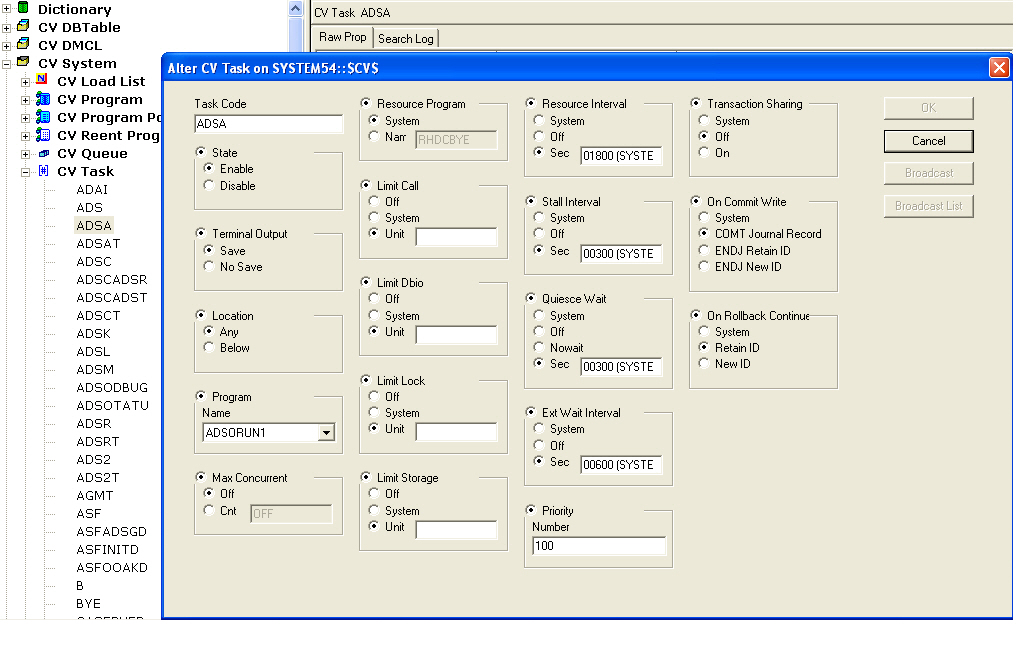
The CA IDMS Visual DBA user interface includes an object tree and detailed information pane components. Objects in the tree can be expanded into lower level objects. By right-clicking an object, you can create, change, or drop instances of that object type. Standard CA IDMS security is used to control capabilities available to the user.
At the root level of the object tree, there are dictionary objects and central version (CV) runtime objects.
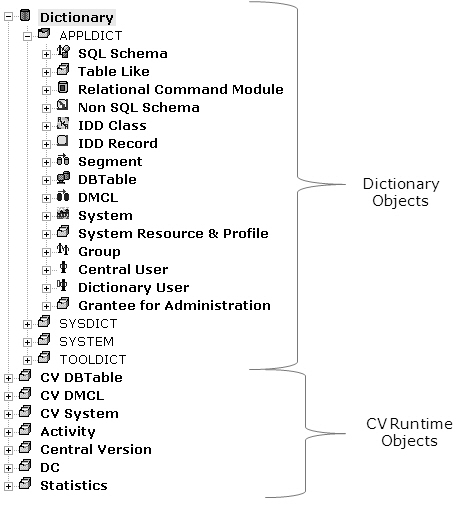
Dictionary objects include databases, systems, and users. The database objects expand into objects for logical and physical database definitions for both non-SQL and SQL-defined databases. You can define new database, system, and user object instances as well as modify and delete existing definitions. You can also use point and click to display rows in the database.
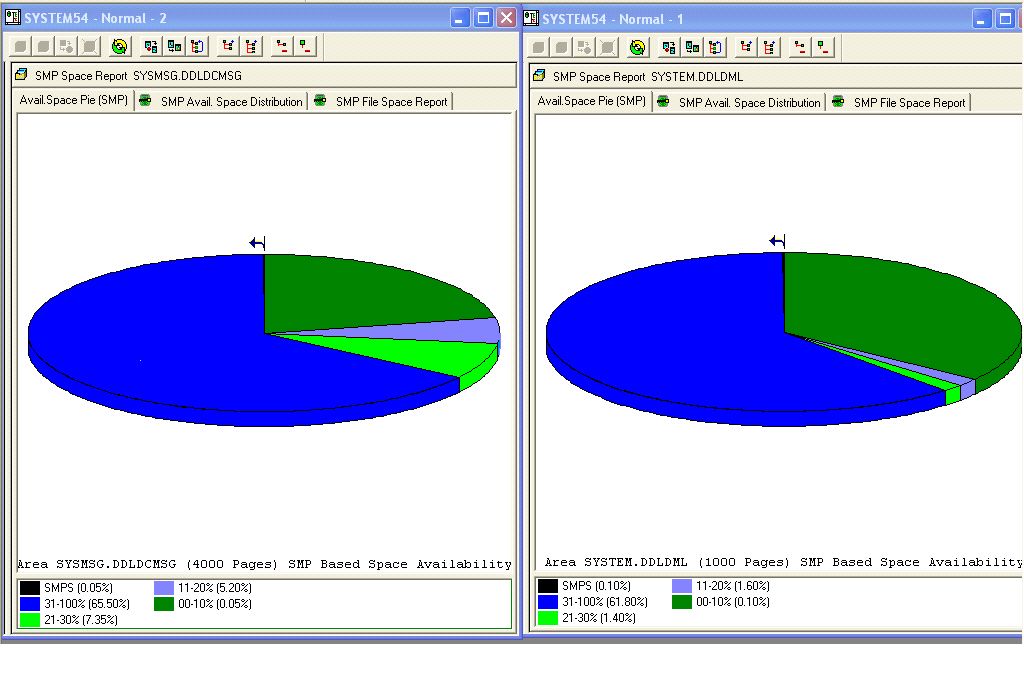
Central version runtime objects enable active monitoring and dynamic tuning of central versions. By connecting to multiple CA IDMS nodes and using tear-out windows, you can actively monitor multiple CA IDMS central versions simultaneously.
CA IDMS Visual DBA also includes a Command Console that enables you to edit, execute, and view the results of commands and scripts for the DCMT, DCUF, IDD, OCF, Schema, SQL SSC, and Sysgen command processors.
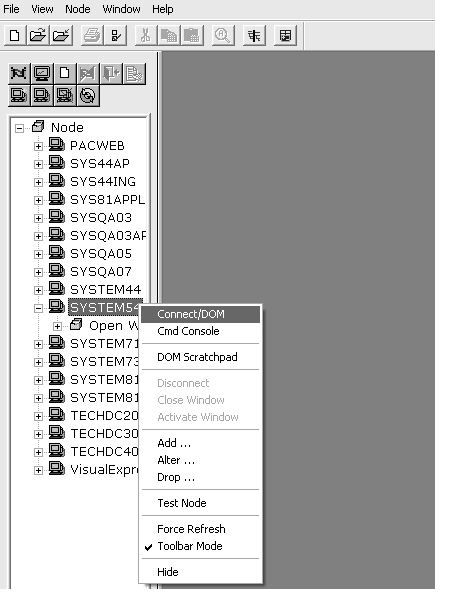
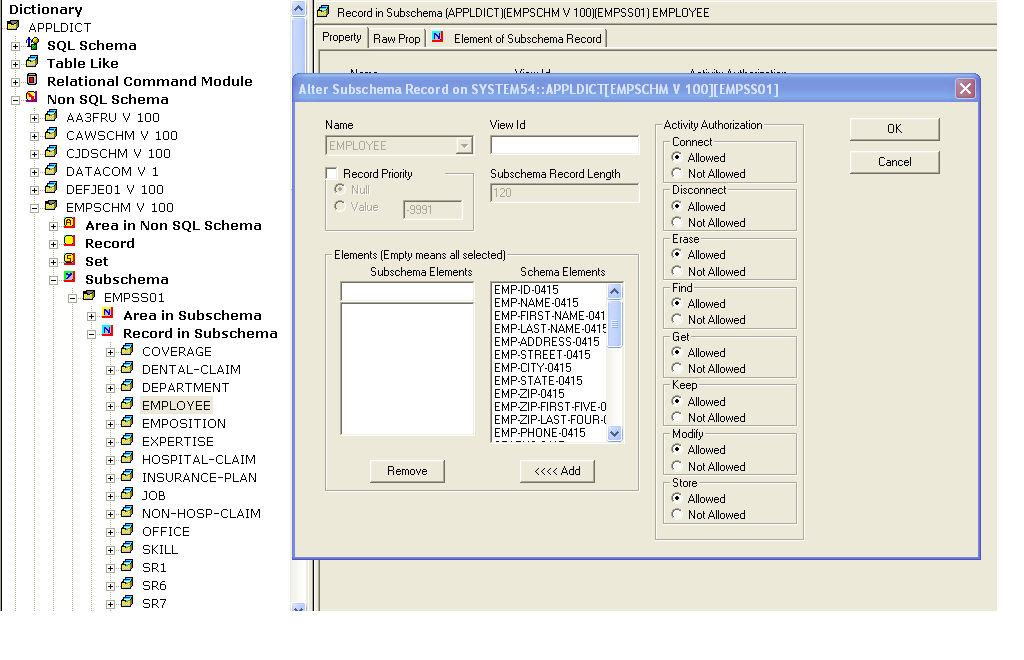
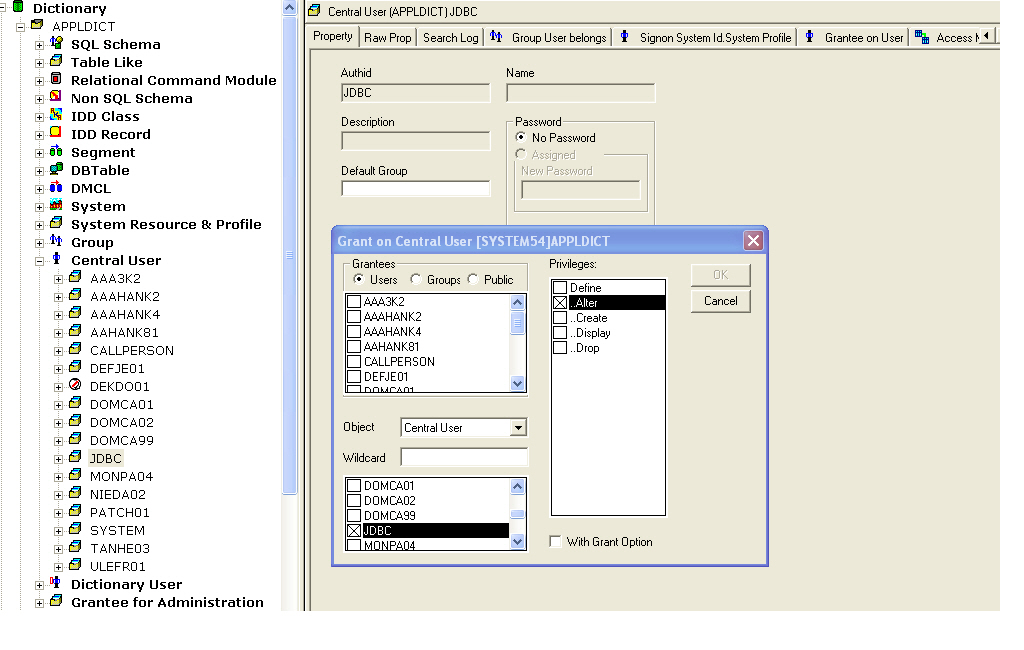
Here are some examples of the capabilities available in CA IDMS Visual DBA.
More Information:
For more information about CA IDMS Visual DBA, see the CA IDMS Visual DBA User Guide.
CA IDMS Visual DBA is downloadable from ca.com/support.
|
Copyright © 2013 CA.
All rights reserved.
|
|