

Using ASF › The Structure and Functions of ASF
The Structure and Functions of ASF
ASF consists of a series of menu-driven screens. The screens are grouped into functional categories, as illustrated in the figure below and outlined on the following pages.
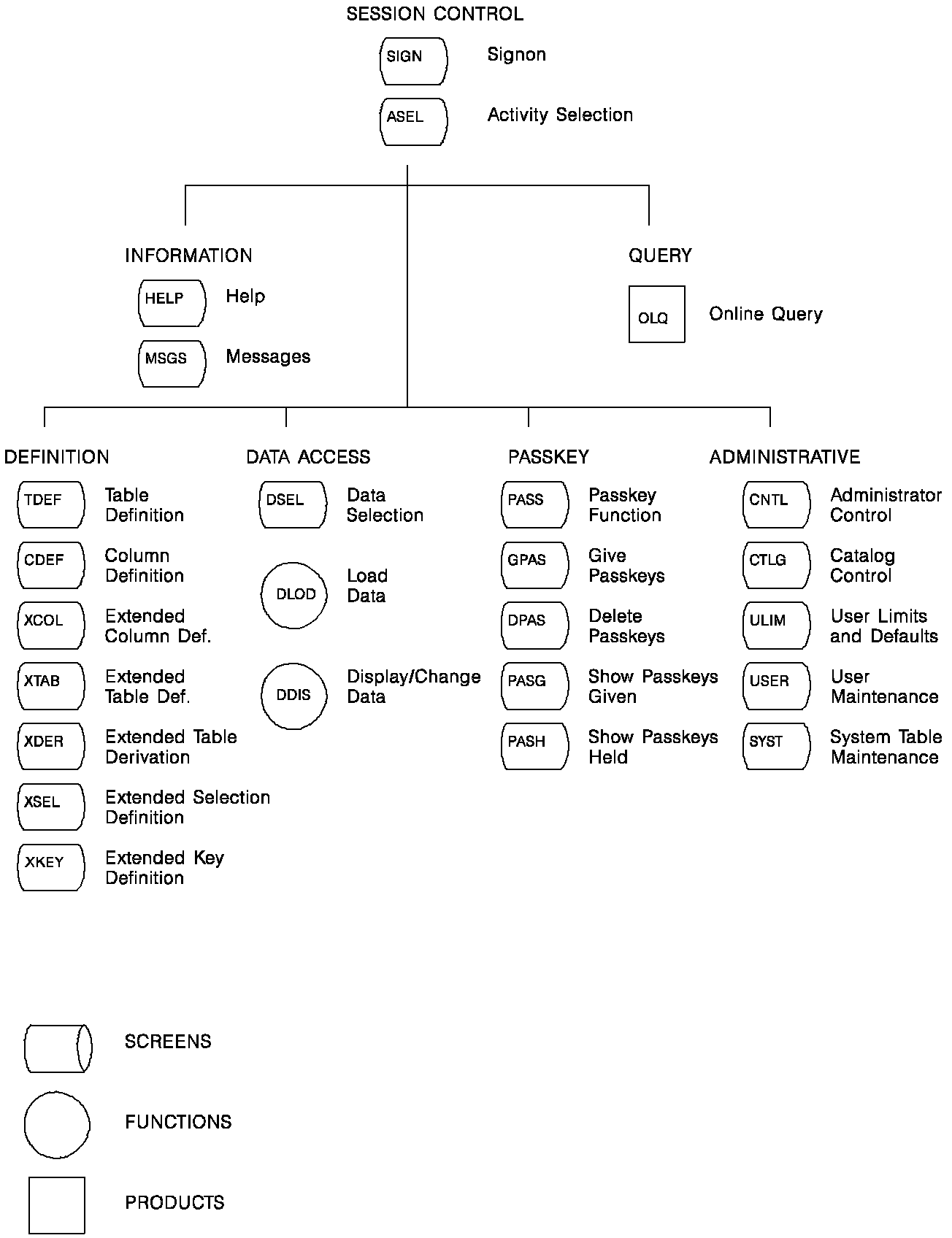
The functions and screens in ASF are listed below:
- Session control screens enable you to begin and end an ASF session:
- Signon (SIGN)
- Activity Selection (ASEL)
- Information screens provide information on using ASF:
- Help (HELP)
- Message (MSGS)
- Query enables you to access OnLine Query (CA OLQ) directly through ASF if CA OLQ is installed at your site.
- Definition screens enable you to define data tables (both stored tables and views):
- Table Definition (TDEF)
- Column Definition (CDEF)
- Extended Column Definition (XCOL)
- Extended Table Definition (XTAB)
- Extended Table Derivation (XDER)
- Extended Selection Definition (XSEL)
- Extended Key Definition (XKEY)
- Data access screens enable you to manipulate the data in a table:
- Data Selection (DSEL)
- A data display screen accessed through the Load Data (DLOD) and Display/Change Data (DDIS) functions
- Passkey screens enable you to give other users access to tables you create:
- Passkey Function (PASS)
- Give Passkeys (GPAS)
- Delete Passkeys (DPAS)
- Show Passkeys Given (PASG)
- Show Passkeys Held (PASH)
- Administrative screens enable authorized personnel to administer the ASF system:
- Administrative Control (CNTL)
- Catalog Control (CTLG)
- User Limits and Defaults (ULIM)
- User Maintenance (USER)
- System Table Maintenance (SYST)
- Row-level security screens enable you to restrict other users' access to rows of data within tables:
- Display/Change Row-Level Security (RDIS)
- Load Row-Level Security (RLOD)
- Row-Level Security (RSEC)
- Select Row-Level Security (RSEL)
The functional categories and the screens each includes are discussed in more detail below.
Copyright © 2014 CA.
All rights reserved.
|
|