

Use the CA IDMS Server ODBC Administrator to configure the JDBC server to allow access to CA IDMS from client programs using the type 3 JDBC driver. Neither the JDBC driver nor the JDBC server actually uses ODBC at runtime. To configure the JDBC server, select any CA IDMS data source from the CA IDMS Server ODBC Administrator, and then click the JDBC Server tab.
If you are using UAC on Windows Vista, you do not have the authority to update JDBC Server parameters without signing on as an administrator. Alternately, you can remain signed on as a standard user, but right-click the ODBC Administrator executable and select "Run as Administrator."
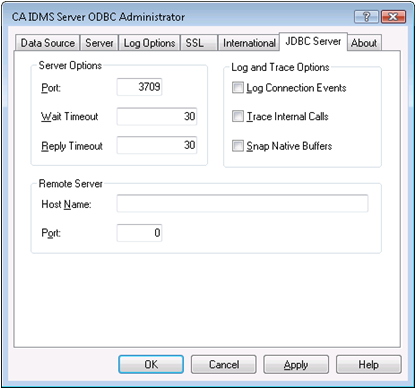
|
Copyright © 2009 CA.
All rights reserved.
|
|