

The Advanced Data Source Options panel is reached by clicking on the "Current" button from the Data Source tab. The Data Source name appears at the top of the dialog.
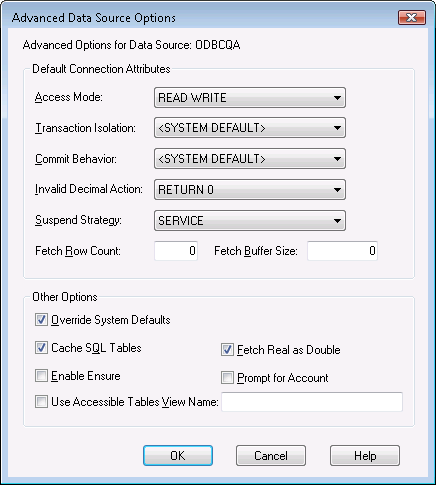
Options specified at the Data Source level override options specified at the System level (see the section entitled "Setting System Default Data Source Options"). All drop-down boxes specifying the value "<SYSTEM DEFAULT>" default to the setting specified at the System level. Likewise, numeric fields having a value of 0 also default to the System level setting. To enable the setting of the checkbox-style options, check the "Override System Defaults" box in the "Other Options" section. A detailed description of each option follows:
|
Copyright © 2009 CA.
All rights reserved.
|
|