

You can verify that your data source is defined correctly, and that CA IDMS Server is installed correctly, using the Test Connect application. Click Test to invoke the CA IDMS Test Connect dialog:
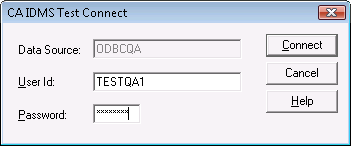
The DSN identified in the ODBC Administrator appears in the Data Source field, and cannot be changed. In the User ID field, enter a valid user ID for the CA IDMS system. If required for the system, supply a password in the Password field and click Connect. The test program connects to the data source using the ODBC driver.
|
Copyright © 2009 CA.
All rights reserved.
|
|