

|
|
|
Secure Sockets Layer (SSL) provides secure communications between applications. SSL helps ensure that communication between CA GovernanceMinder and endpoints have the following properties:
By default, the product is not installed with SSL support. This means that all communication between CA GovernanceMinder and the endpoints is not encrypted. You can configure the product to use SSL when working with endpoints.
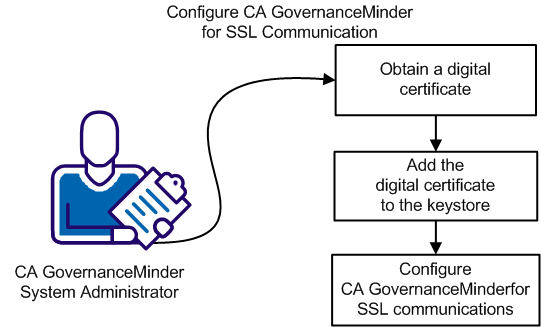
The following diagram outlines the steps that are required to configure CA GovernanceMinder for SSL communication:
Follow these steps:
| Copyright © 2012 CA. All rights reserved. |
|