

Use SDS facilities to Create the deployment, which includes completing each step in the New Deployment wizard. Select the appropriate CSI and one or more CA Gen products on the Product Selection panel. When Deploying CA Gen Host Encyclopedia or CA Gen Implementation Toolset also select one of the Runtime products (either CICS, IMS or both) so that the Runtime DLLs library is included in the deployment.
In the following Create Deployment process the CA Gen Host Encyclopedia is selected for deployment.
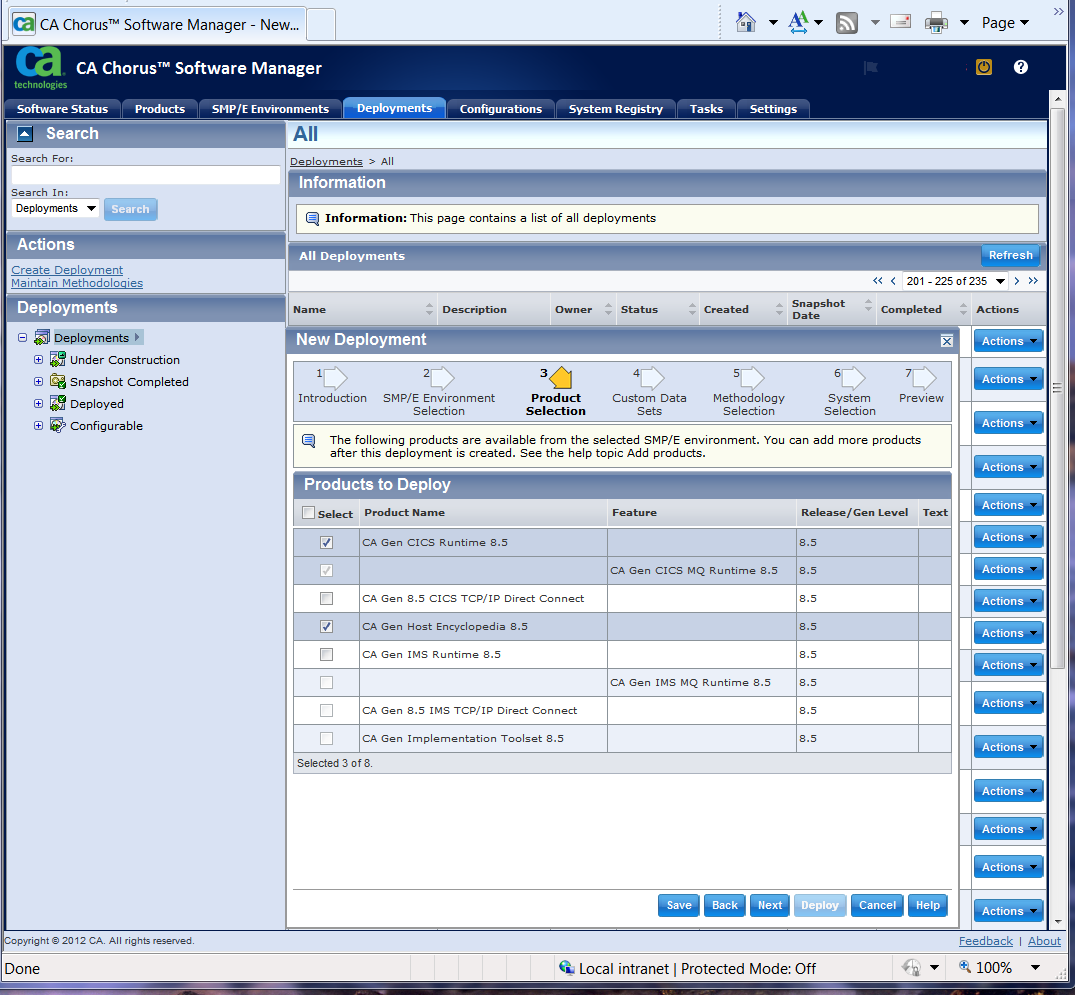
The CA Gen CICS Runtime 8.5 product is also selected. This means that deployment will create the Gen runtime DLLs Library in addition to the base Host Encyclopedia datasets. It is a requirement of CA Gen that one or more Runtime product (either CA Gen CICS Runtime 8.5 or CA Gen IMS Runtime 8.5, or both) is selected to enable deployment to include Runtime DLLs Load Library in the set of deployed datasets.
Proceed through the wizard by clicking the Next button. CA Gen does not provide Custom Data Sets so select Next to continue, then select a Methodology and a System to get to the Preview panel where you can review the selected or entered deployment options. Ensure that the System selected is a Target System.
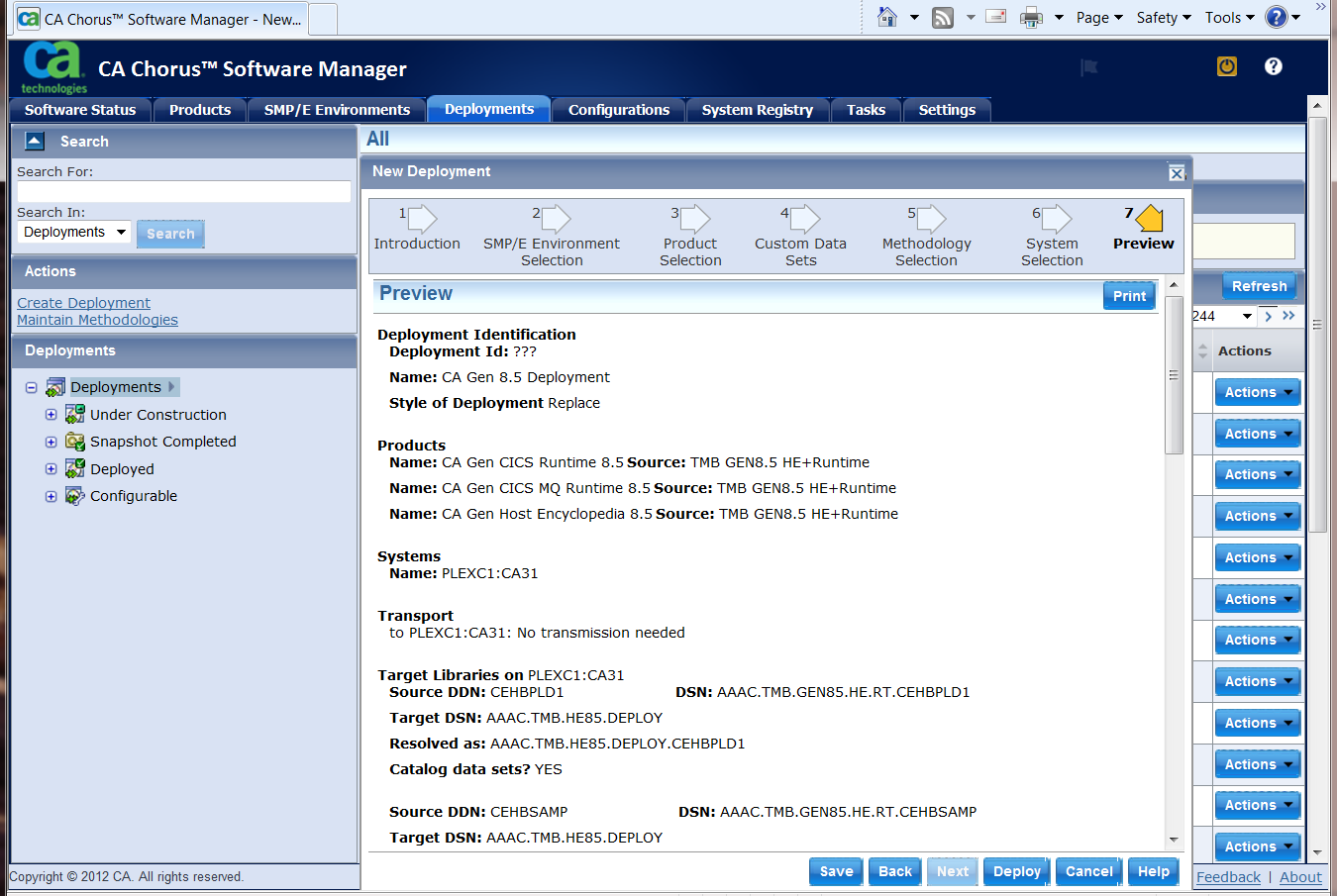
Once the deployment wizard is complete select Deploy to make the Deployment Configurable.
|
Copyright © 2015 CA Technologies.
All rights reserved.
|
|