

The following procedure uses CEINSTAL to build the JCL and SQL to unload and load the Encyclopedia Data tables.
Follow these steps:
The Identify Source and Target Encyclopedias screen displays.
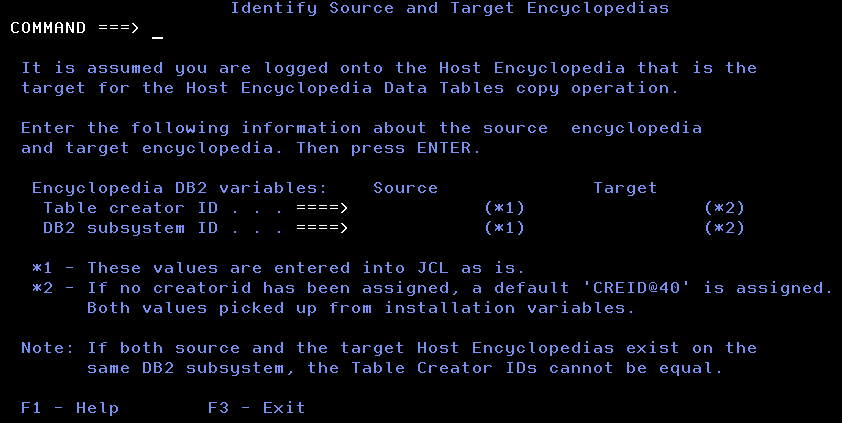
The values for the Target fields derive from values entered in the Set DB2 Variables screen.
Note: Do not change the values in the Target fields. If these values are incorrect, you are logged on to the wrong Encyclopedia, or the information used to build the Encyclopedia was entered incorrectly in the Set DB2 Variables screen.
The Host Encyclopedia Maintenance Menu displays.
|
Copyright © 2015 CA Technologies.
All rights reserved.
|
|