

Starting Your Product › How to Configure Without CA CSM › Configuring Host Encyclopedia and Host Construction › Establish the Environment › Tasks to Define Installation Variables › Set CICS Variables
Set CICS Variables
Use these steps to set CICS variables when you set the Support generated applications under CICS option on the Target environment configuration screen to Y.
Follow these steps:
- Select option 4 on the Set target system variables screen and press Enter.
- The Set CICS Variables screen displays.
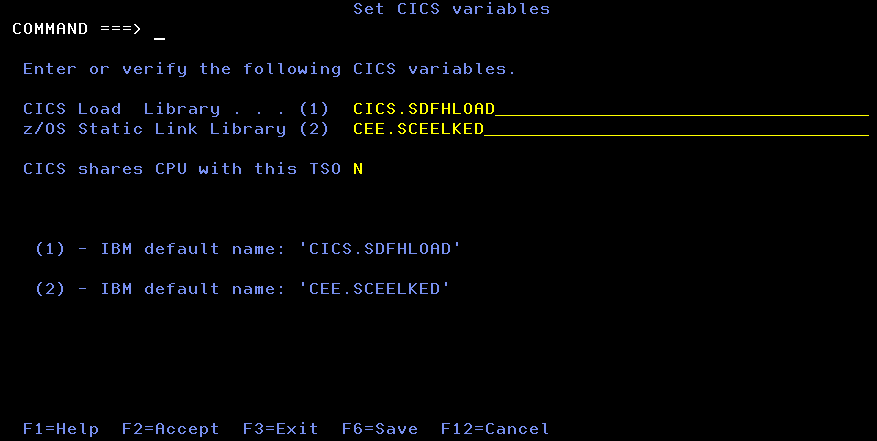
- Set the z/OS Static Link Library to the runtime library containing CICS-specific COBOL runtime modules, for example, CEE.SCEELKED.
Note: You no longer need to enter a value for the CICS DB2 library because it is the same library as the CICS Load library. The variable TIRCLDB2 in TIRCFIGS clist points to the CICS Load library.
The name of the system library that contains the CICS Sockets interface modules, usually named TCPIP.SEZATCP, has been removed.
- Press F2 to verify and save the values in a working copy of the user's ISPF profile pool.
- When verification is complete, press Enter to exit the Activity Display screen.
- Press F3 to exit the screen.
Copyright © 2015 CA Technologies.
All rights reserved.
|
|