

Starting Your Product › How to Configure Without CA CSM › Configuring Host Encyclopedia and Host Construction › Establish the Environment › Tasks to Define Installation Variables › Target Environment Configuration
Target Environment Configuration
Use this option to set the support levels on the target environment.
Follow these steps:
- Select option 1 on the Set Target System Variables Menu and press Enter.
The Target environment configuration screen displays.
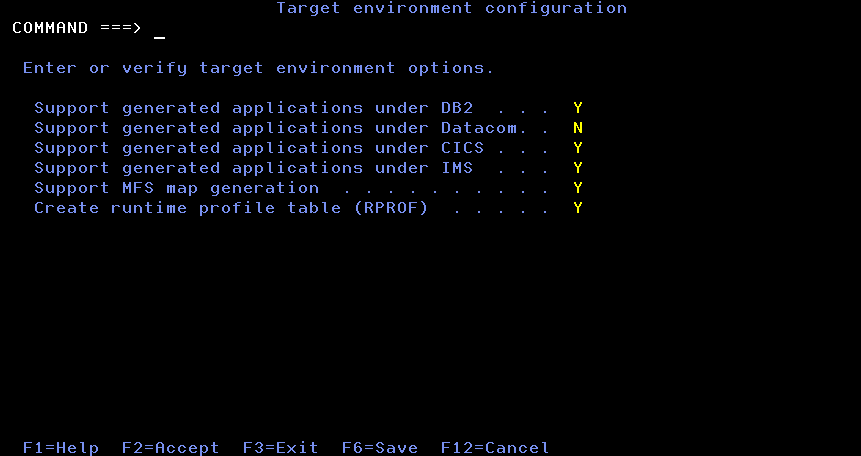
- Set each option to Y to include support or N to omit support, according to your environment specifications.
These choices enable other options on the Set target system variables screen.
- Press F2 to verify and save the values in the user's ISPF profile pool.
- When verification is complete, press Enter to exit the Activity Display screen.
- Press F3 to exit the screen.
Copyright © 2015 CA Technologies.
All rights reserved.
|
|