

Generating a Web Generation Application › Generate a Web Generation Application from the Toolset
Generate a Web Generation Application from the Toolset
After the Web Generation installation and design procedures are completed, you can generate your Web Generation application from the Toolset.
To generate a Web Generation application from the Toolset
- Start the Toolset and open your model.
- From the Construction menu, select the Generation option.
- From the Generation Window, select the Options Menu and then Generation Defaults. The Generation Defaults dialog appears.
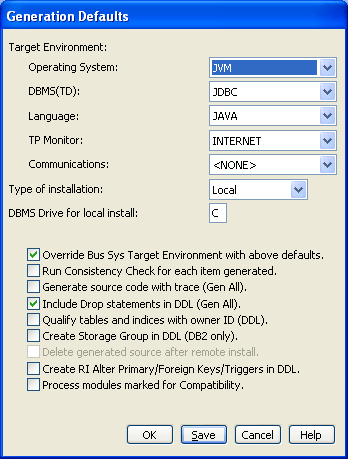
- At the Operating System drop-down box, select JVM.
- At the Language drop-down box, select Java.
- At the Type of Installation drop-down box, select either Local or Remote.
For a Remote install, generated files are packaged into one installation file, which can then be manually transferred to any Windows target system. For a Local install, generated files are compiled and prepared for copying onto a server running on the same machine as the toolset. The default is Local.
- Click OK.
- (Optional) You can select the Options Menu from the Generation Window, then the Model Generation Properties and enter a name in the Java Package Name box.
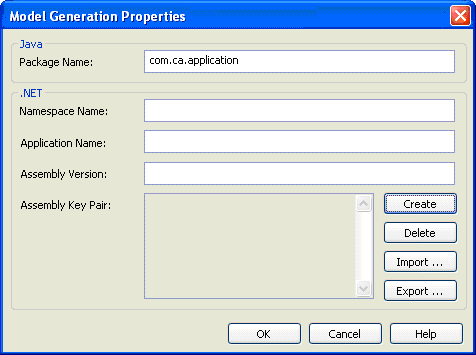
The Java Package Name is used for all generated Java files.
- Click OK and you are ready to continue with Generation, Build, Assembling, and deployment of a Web Generation Application.
Copyright © 2013 CA.
All rights reserved.
|
|