

In addition to the software that was required to complete the Tutorial, to complete this appendix you need the following additional software:
You can download a trial version of the Chestysoft csXImage OCX control at http://www.chestysoft.com/ximage/download.asp Follow their instructions for installation. After the installation, you will see an entry in your Windows Start Menu similar to the following
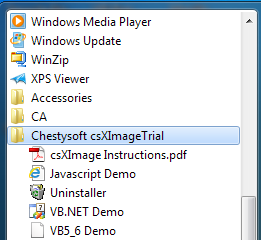
The OCX control displays images from a file on your file system. So we need to make use of two external action blocks, one that reads a file into a BLOB attribute view and another that writes the contents of a BLOB attribute view to a file. The external action blocks are available in the CA Gen installation \Samples\Models\Tutorial Models\Starter Models\extrn directory. Copy the extrn directory to your models directory. The model directory used in the examples is C:\Models.
You will be given instructions later in this appendix as to how to use them.
|
Copyright © 2013 CA.
All rights reserved.
|
|